← All work

Case study 03 — Client work at Metafic


Crew hiring for people who live at sea, from both sides of the deck.

iSail: seafarers apply with a CV built around their documents, and recruiters run their hiring from the same app. Designed end to end, for both.
111Screens: 57 seafarer, 54 recruiter
2Roles, one app
7CV sections, built around documents
4Statuses on every application
Role
UI/UX Designer
Company
Metafic
Users
Seafarers + recruiters
Platform
Mobile app
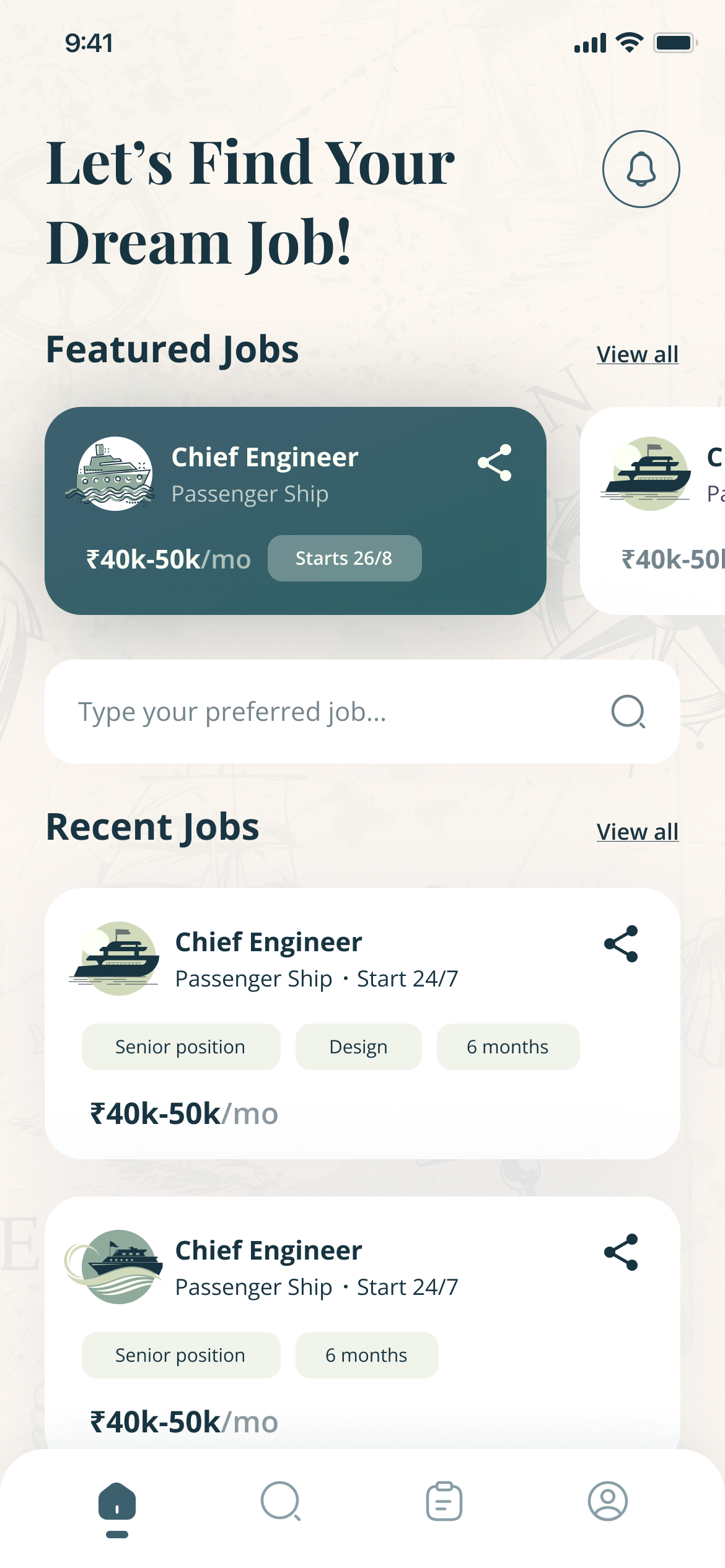
The seafarer's home: Let's Find Your Dream Job!, a featured Chief Engineer role on a passenger ship, a search field and recent jobs with salary and duration
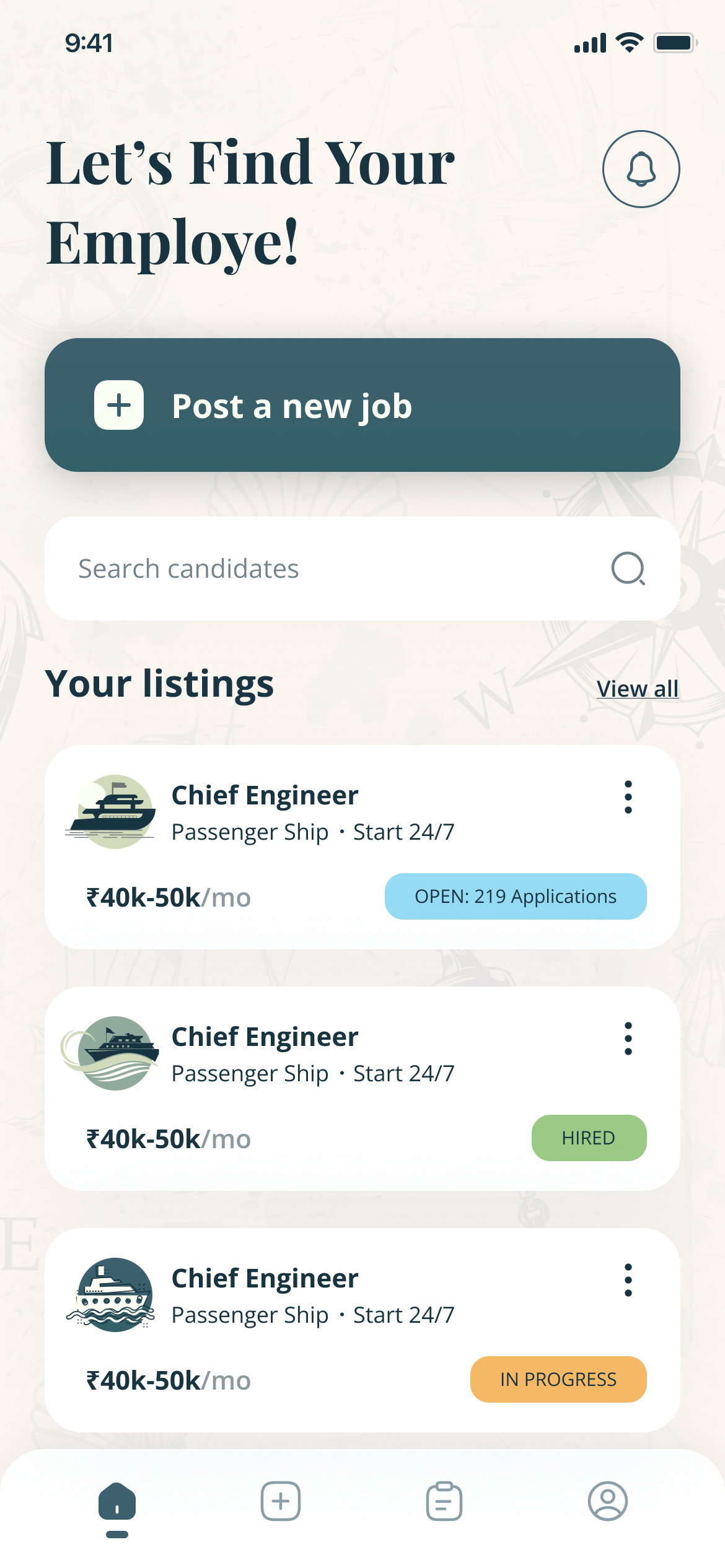
The recruiter's home: Post a new job, a candidate search, and the recruiter's listings marked Open with 219 applications, In progress and Hired

The problem

01 — Why a job board fails here


A seafarer’s CV isn’t a CV. It’s a stack of documents with expiry dates.

  • Crew hiring runs on a Seaman’s Book, CDC, STCW courses, passport and visa, and sea service by vessel.
  • A generic job board flattens all of it into a résumé nobody can screen.

39,100STCW-certified officers the world fleet is short of in 2026

Source: BIMCO and ICS, Seafarer Workforce Report, June 2026

Who it’s for

02 — Two users


The same vacancy, seen from opposite ends.

The seafarerBetween contracts

Wants the next contract for their rank and ship type, without re-typing their documents every time.

The recruiterCrewing agency

Needs a shortlist of compliant candidates for a ship that sails on a fixed date.

One app, two sides

03 — The fork


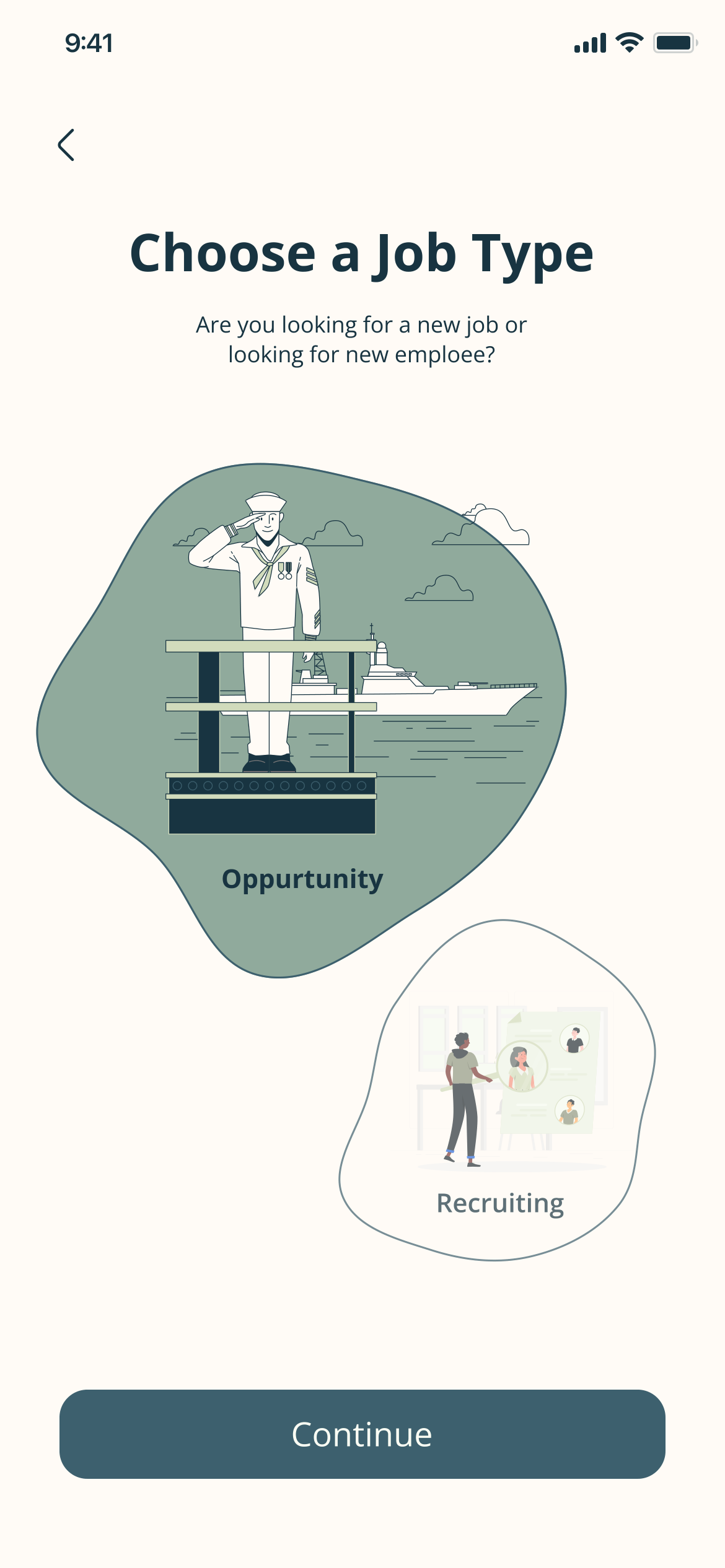
The first screen asks one question, and the app splits in two.
  • Both sides share sign-in, plans, payments and one component kit.
Choose a Job Type: are you looking for a new job or a new employee? Two illustrated choices, Opportunity and Recruiting
Choose a side — a new job, or a new employee
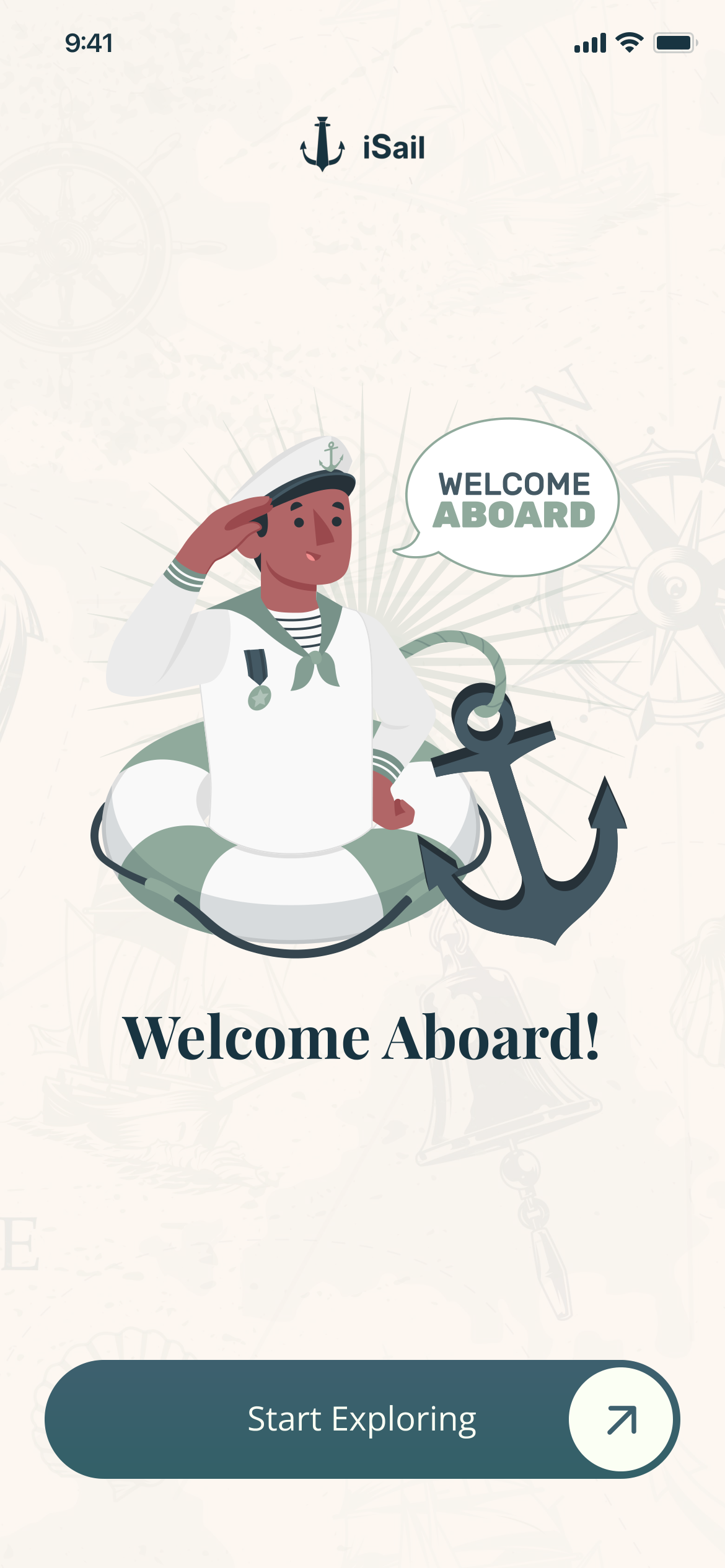
Welcome Aboard! for the seafarer: a saluting sailor in a life ring with an anchor, and Start Exploring
Seafarer — welcome aboard
Welcome Aboard! for the recruiter: an illustrated group of people, and Start Exploring
Recruiter — its own welcome
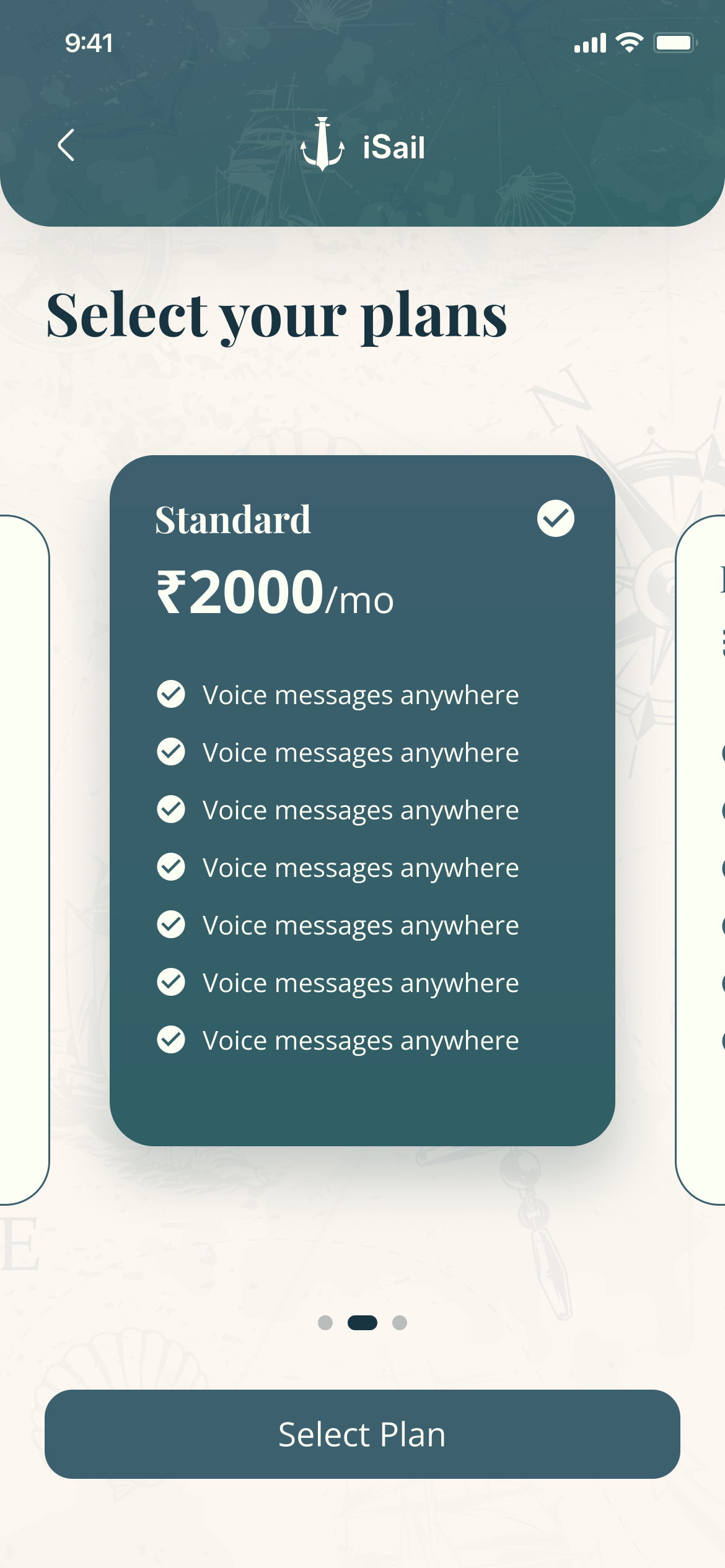
Select your plans: a Standard plan at ₹2000 a month, with a list of features, and Select Plan
Both sides choose a plan

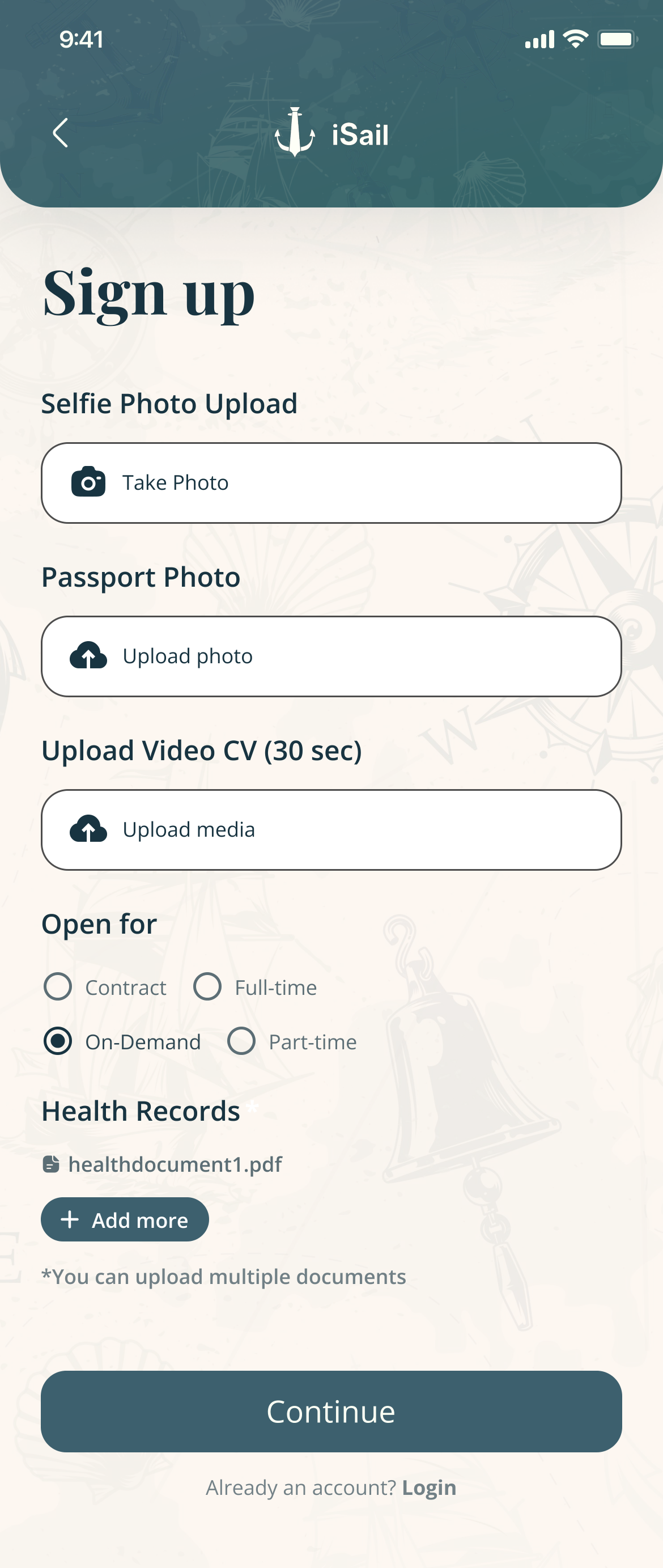
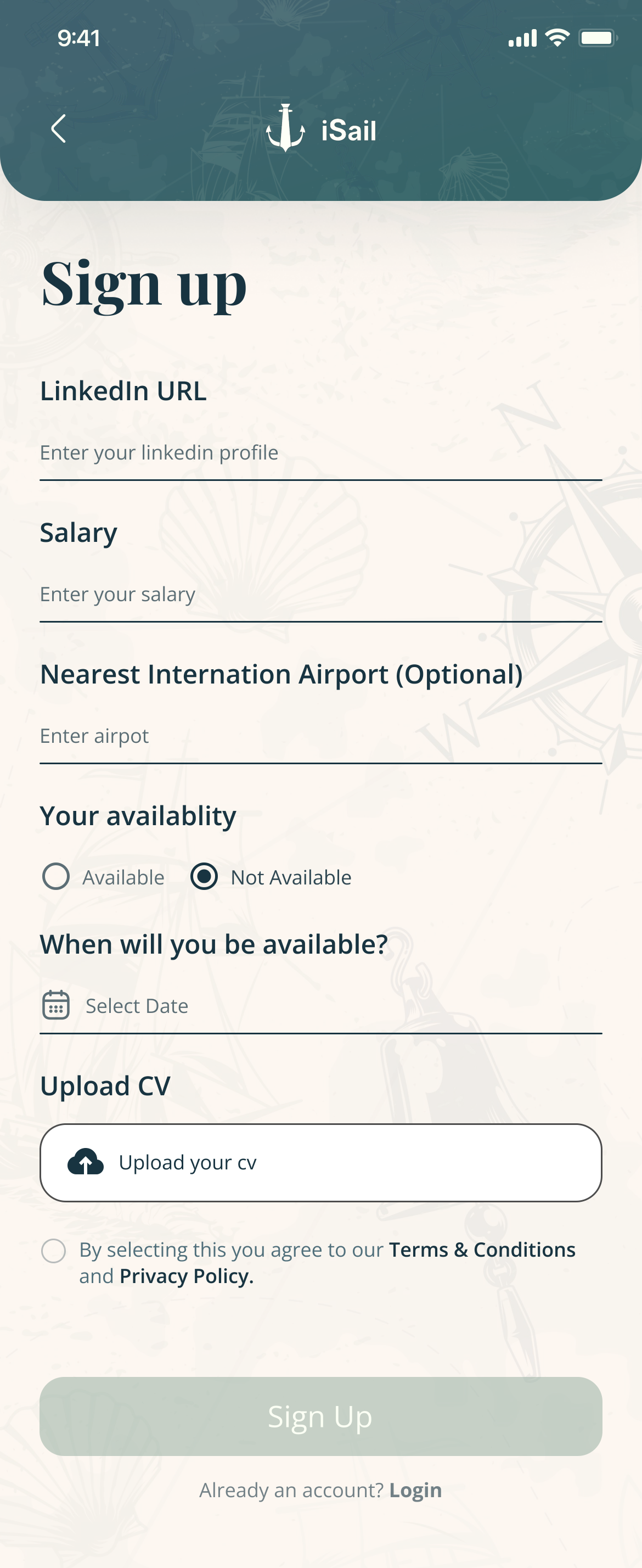
Sign-up for seafarers is three short steps, not one long form.
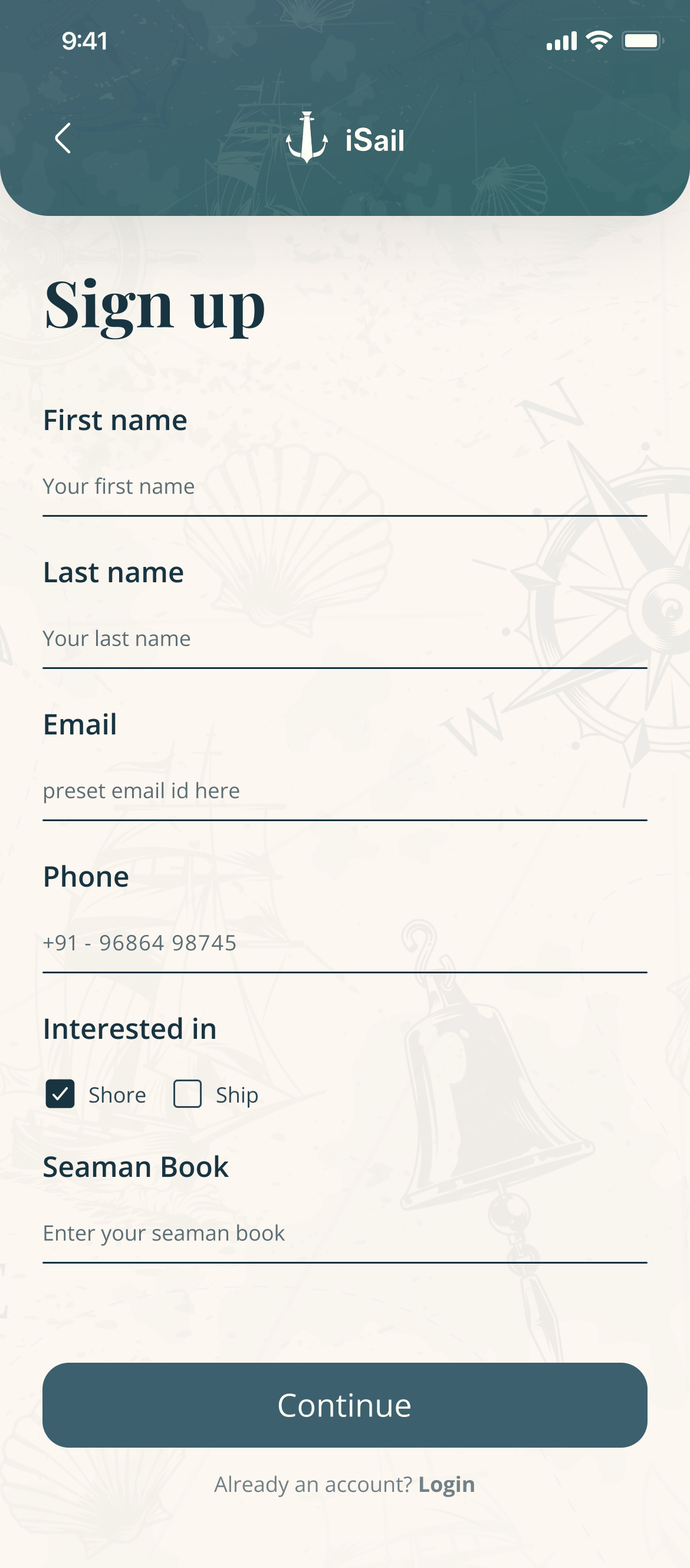
Sign-up, step one: name, email, phone, shore or ship, Seaman Book number, and Continue
1 — Who you are, and your Seaman Book
Sign-up, step two: selfie and passport photo, a 30-second video CV, contract type, health records, and Continue
2 — Photos, a 30-second video CV, health records
Sign-up, step three: LinkedIn, salary, nearest international airport, availability and its date, a CV upload, and Sign Up
3 — Salary, availability, nearest airport

Find and apply

04 — The seafarer


From a search to applied in a few taps, in the industry’s own terms.
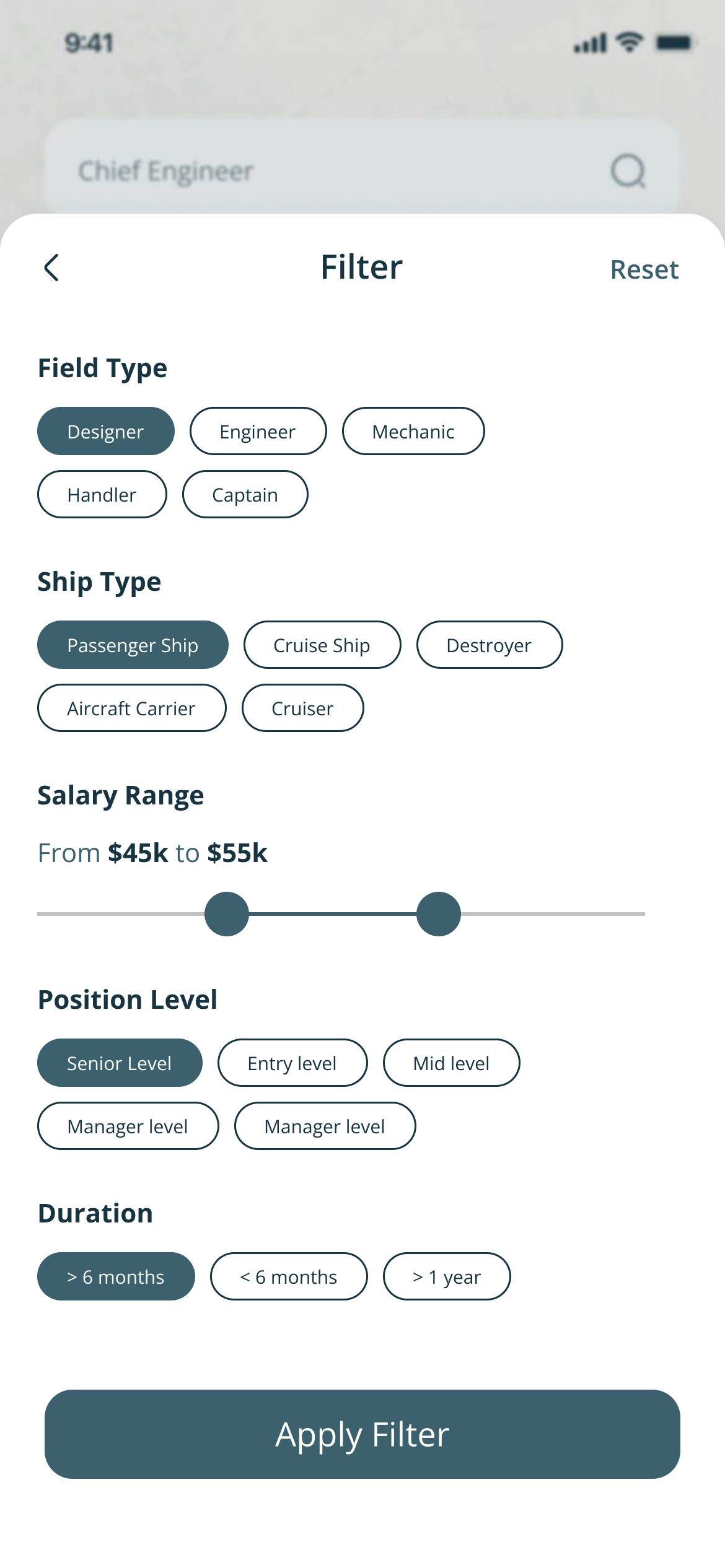
  • Filter by field, ship type, salary, position level and duration; sort by relevance, start date or date posted.
Filter: field type chips, ship types such as Passenger Ship, Cruise Ship and Aircraft Carrier, a salary range slider, position level and duration
Filter — ship type, rank, salary, duration
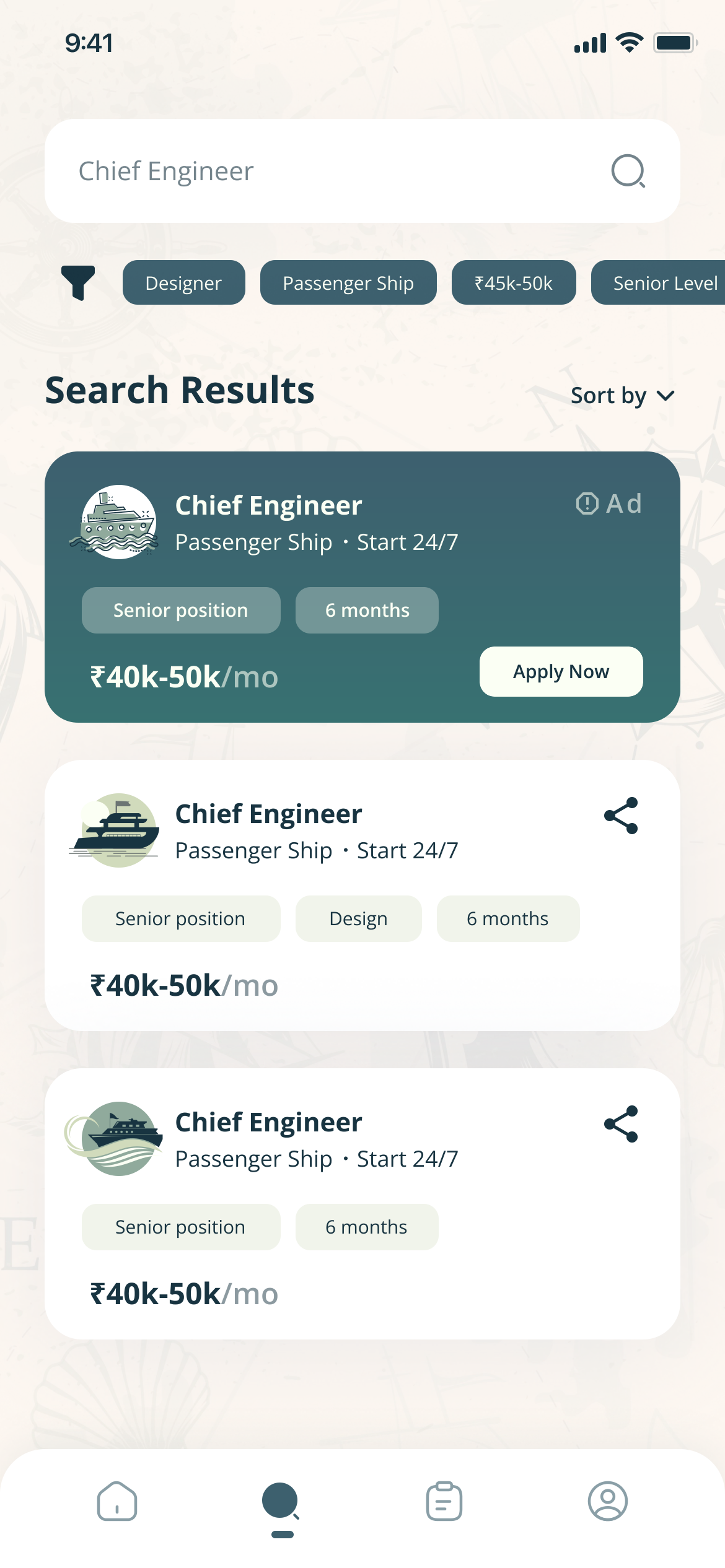
Search results for Chief Engineer, with active filter chips, a sort control and job cards
Results — filters stay visible as chips
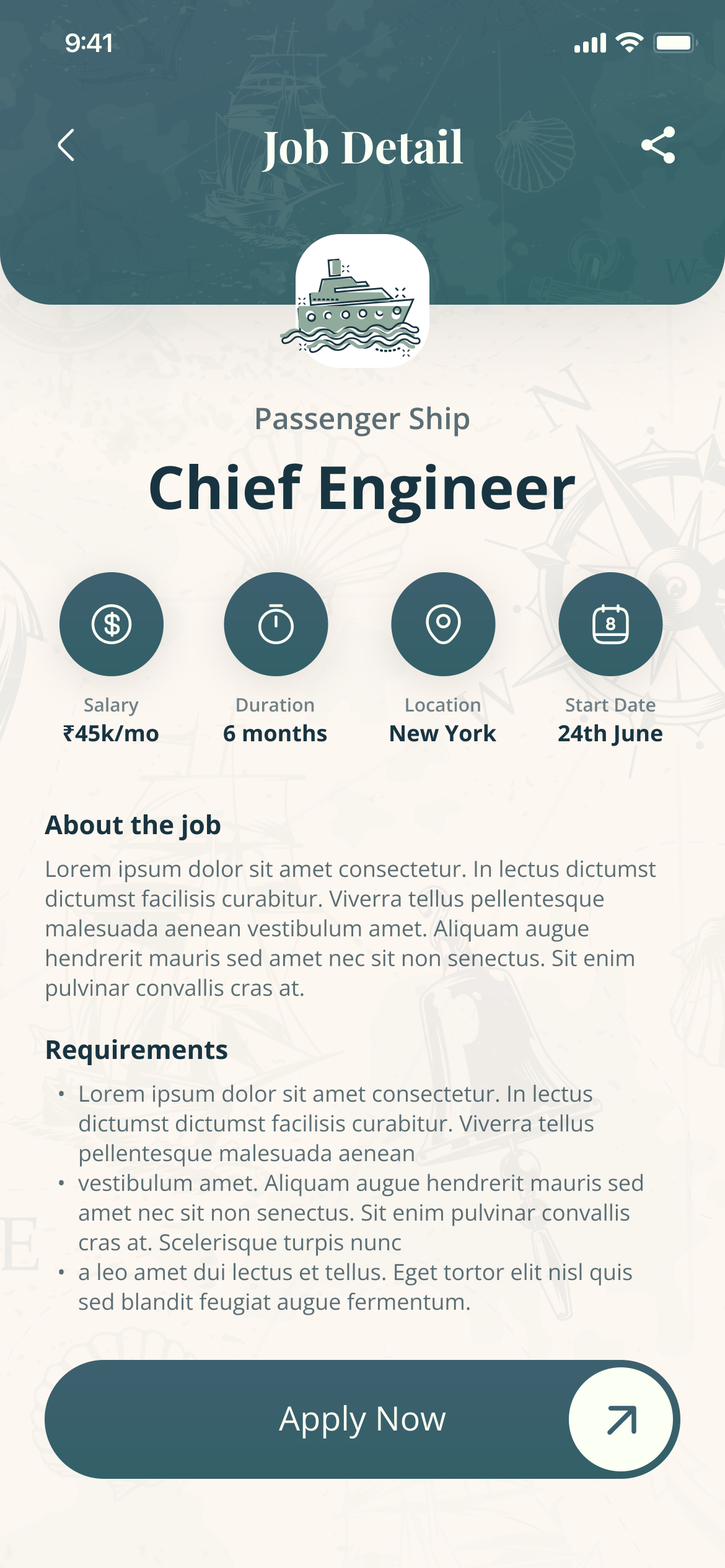
Job detail: Chief Engineer, Passenger Ship, with salary, duration, location and start date as four icons above the description, and Apply Now
Job detail — four facts before any paragraph
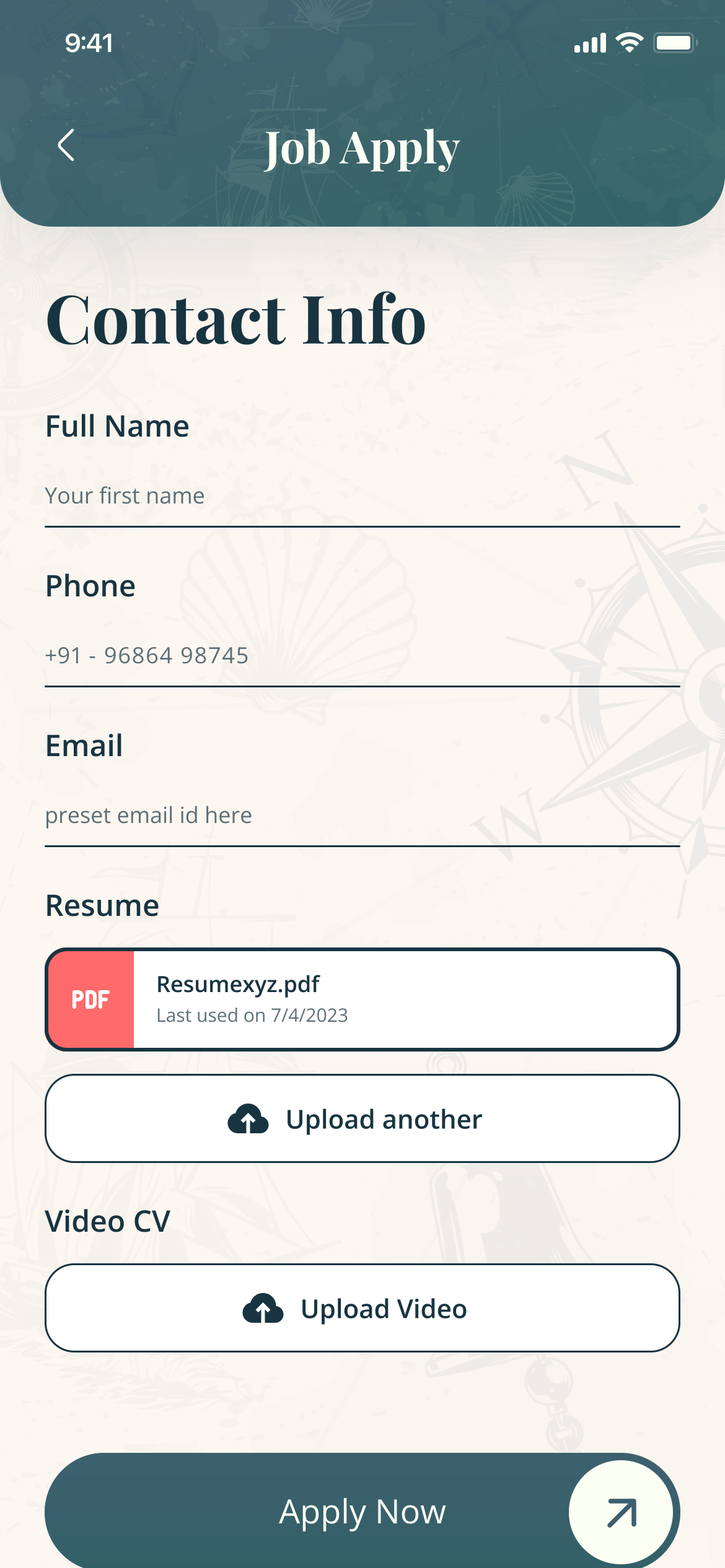
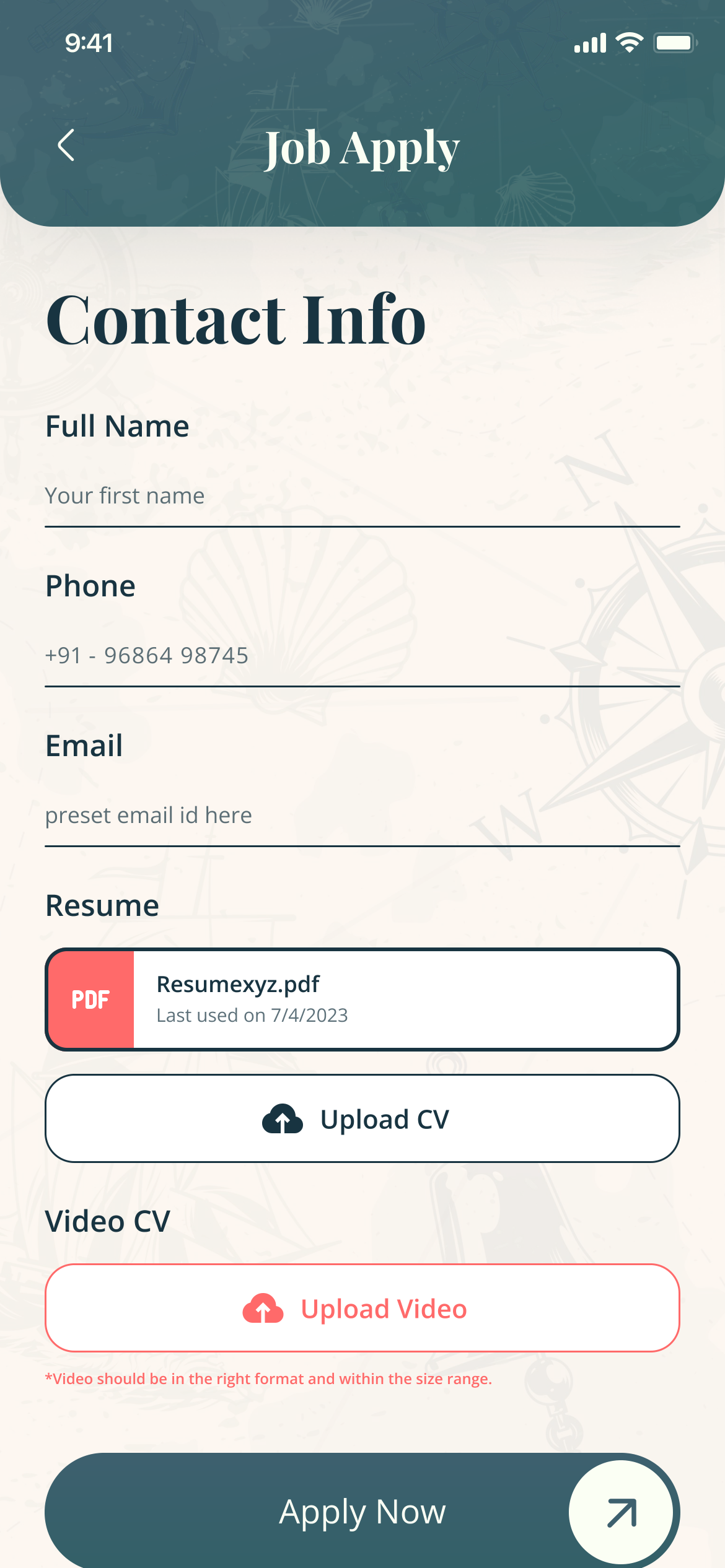
Job Apply: contact info, the resume last used on 7/4/2023 with Upload another, an optional video CV, and Apply Now
Apply — the last CV is offered again
Motion — job, apply, applied

Up close

05 — Four decisions


Four parts carry the trust on both sides, so they got the most work.

A — Job facts

Decide before you read

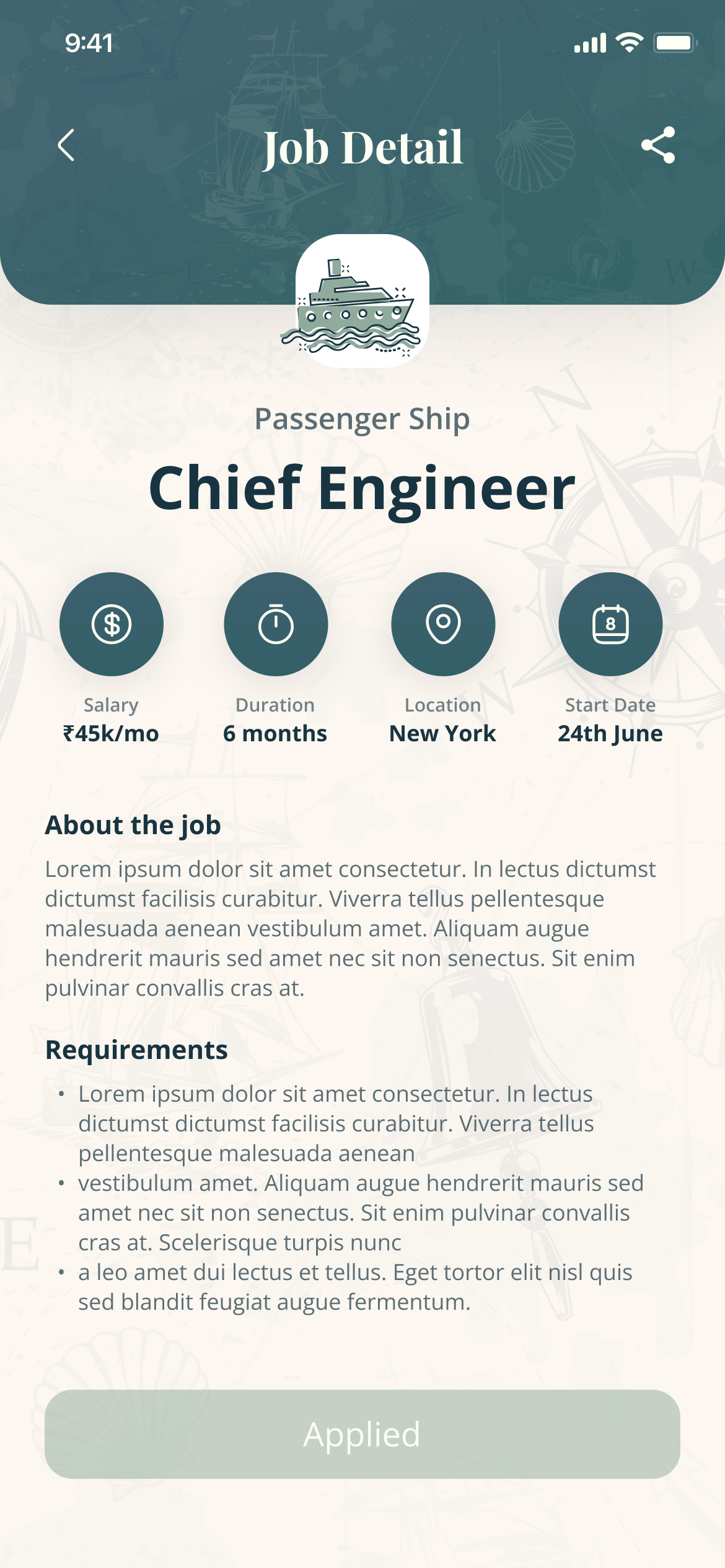
Salary, duration, location and start date sit above the description, as four icons.

Four round teal icons with their values: Salary ₹45k/mo, Duration 6 months, Location New York, Start Date 24th June

B — Apply

The CV already did the work

Apply offers the last CV with the date it was used; a video CV is optional, not a gate.
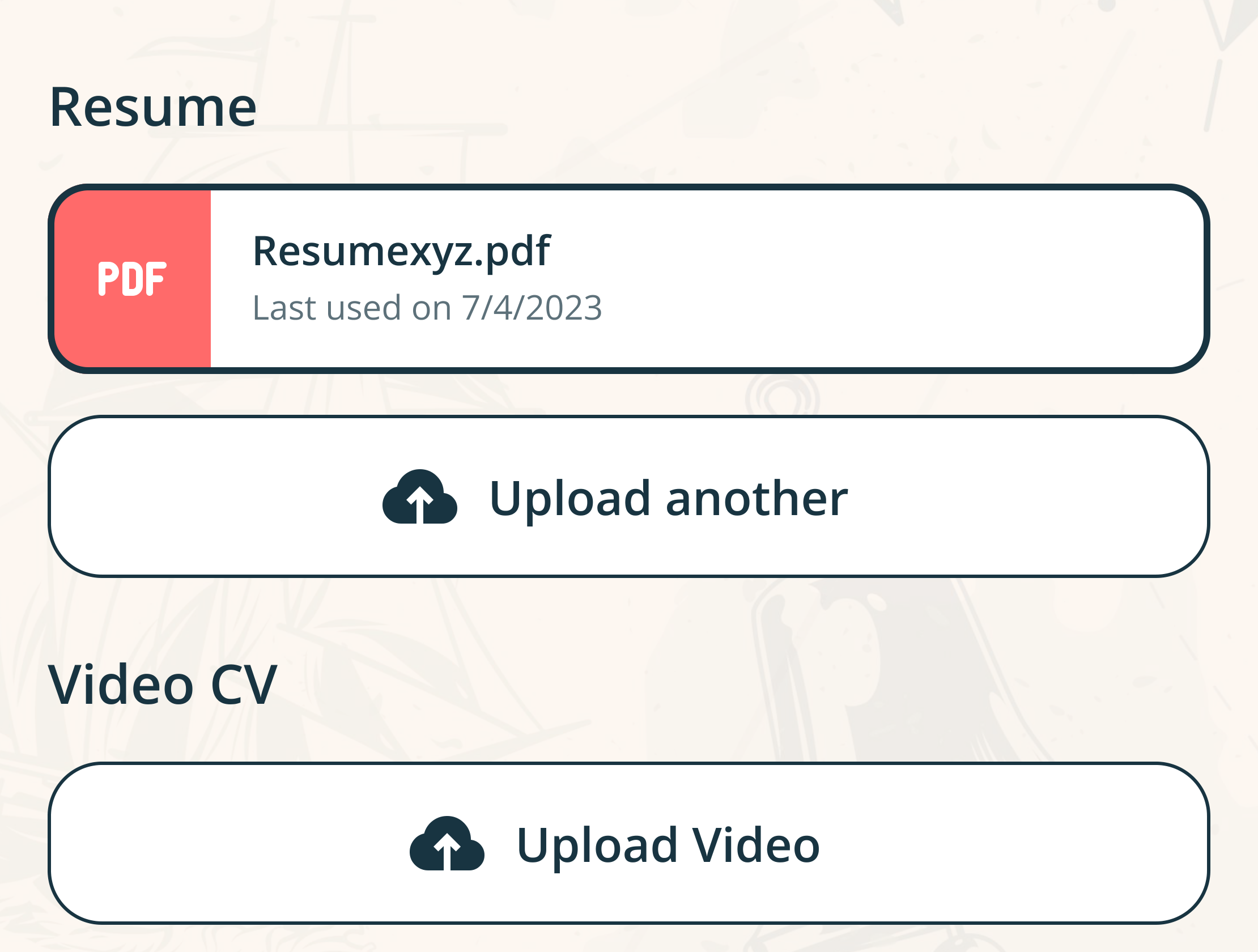
Resume: Resumexyz.pdf, last used on 7/4/2023, with Upload another; below it, Video CV with Upload Video

C — Status

No application goes silent

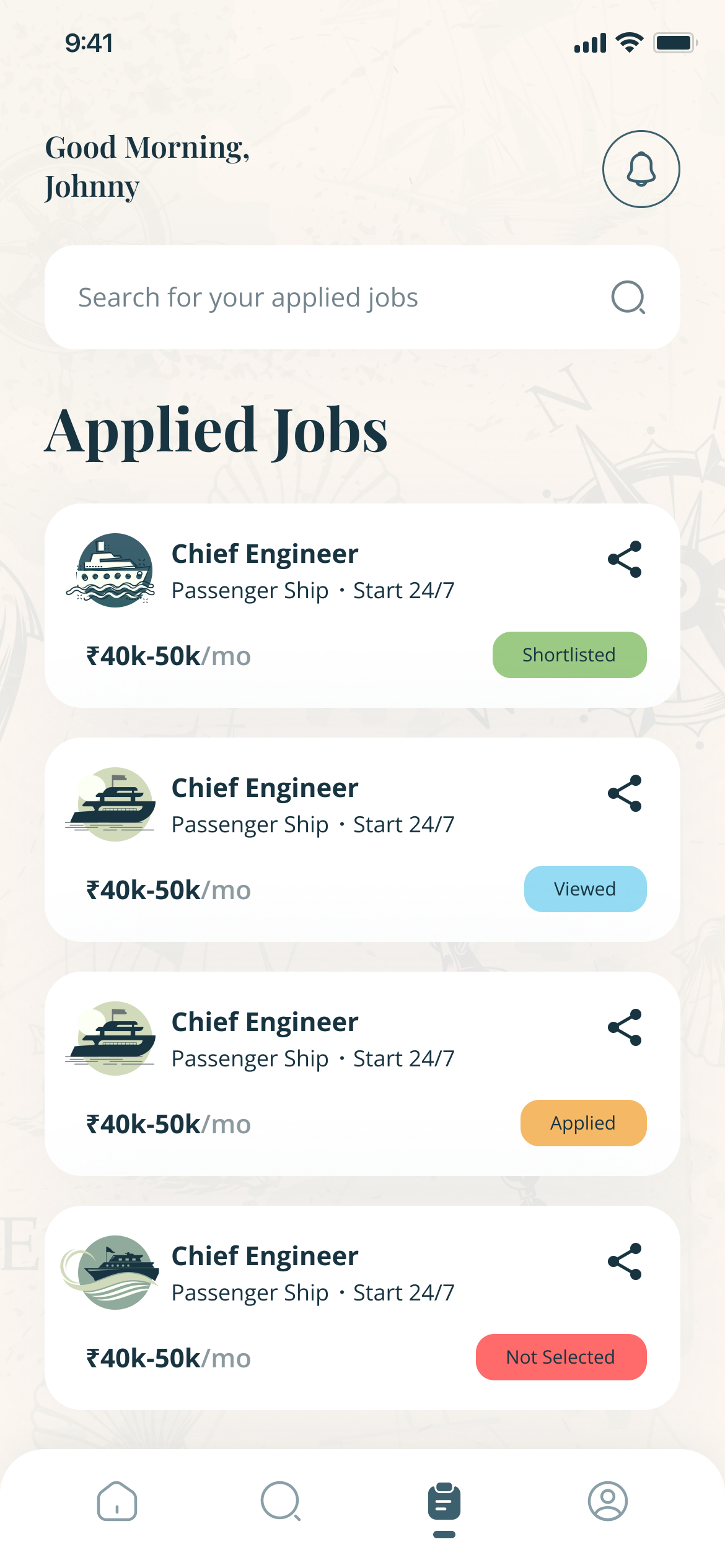
Every card says where it stands, in words and colour: Applied, Viewed, Shortlisted, Not Selected.
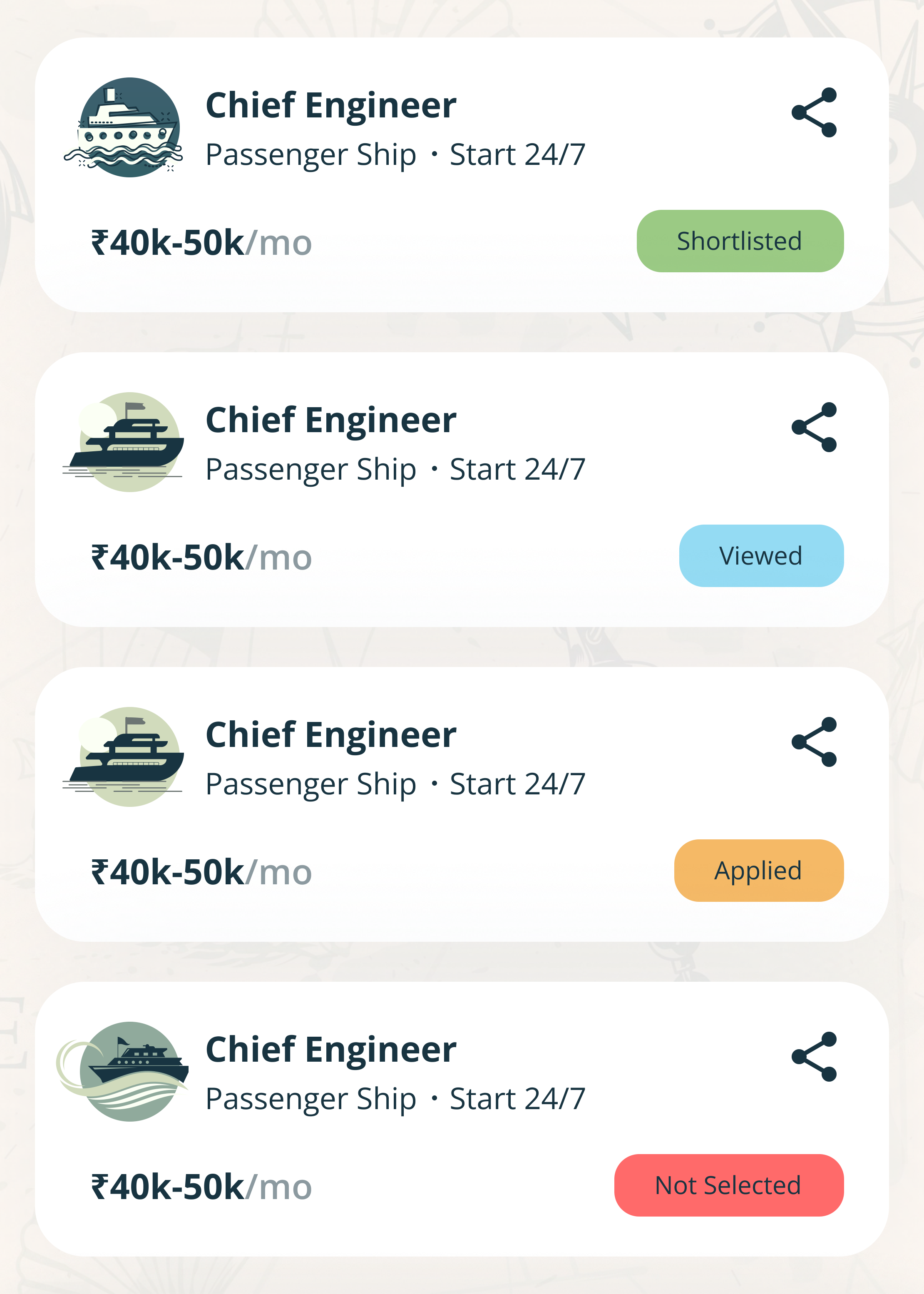
Four applied-job cards for Chief Engineer, each with a status chip: Shortlisted in green, Viewed in blue, Applied in amber, Not Selected in red

D — The recruiter

Two decisions, each closed out

A candidate’s CV ends in Reject or Connect. Reject asks first; Connect confirms the request went out.
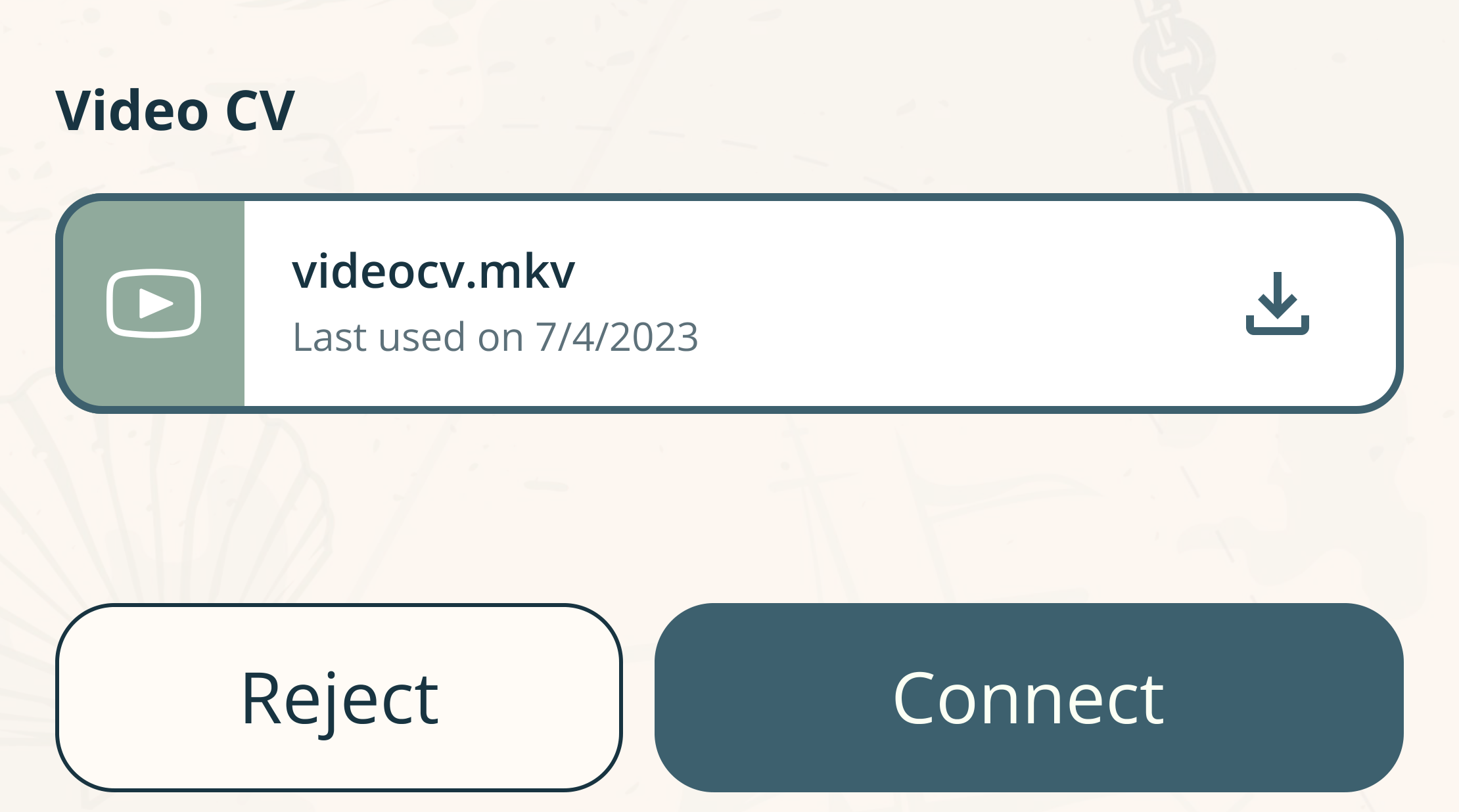
The end of a candidate CV: a video CV file with a download button, then Reject and Connect buttons

The maritime CV

06 — Seven sections


Seven sections, built around the documents a recruiter checks first.
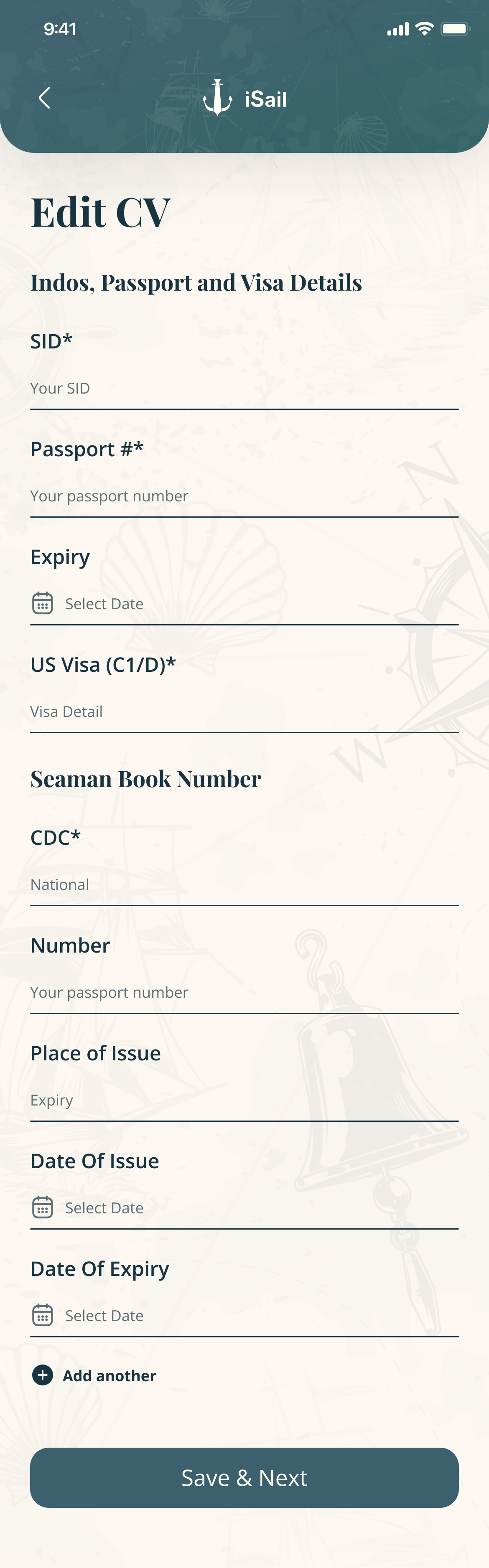
  • Each section saves on its own, so a long profile gets built in short sittings.
Edit CV, Indos, passport and visa details: SID, passport number and expiry, US visa, Seaman Book number and CDC
Passport, visa, CDC
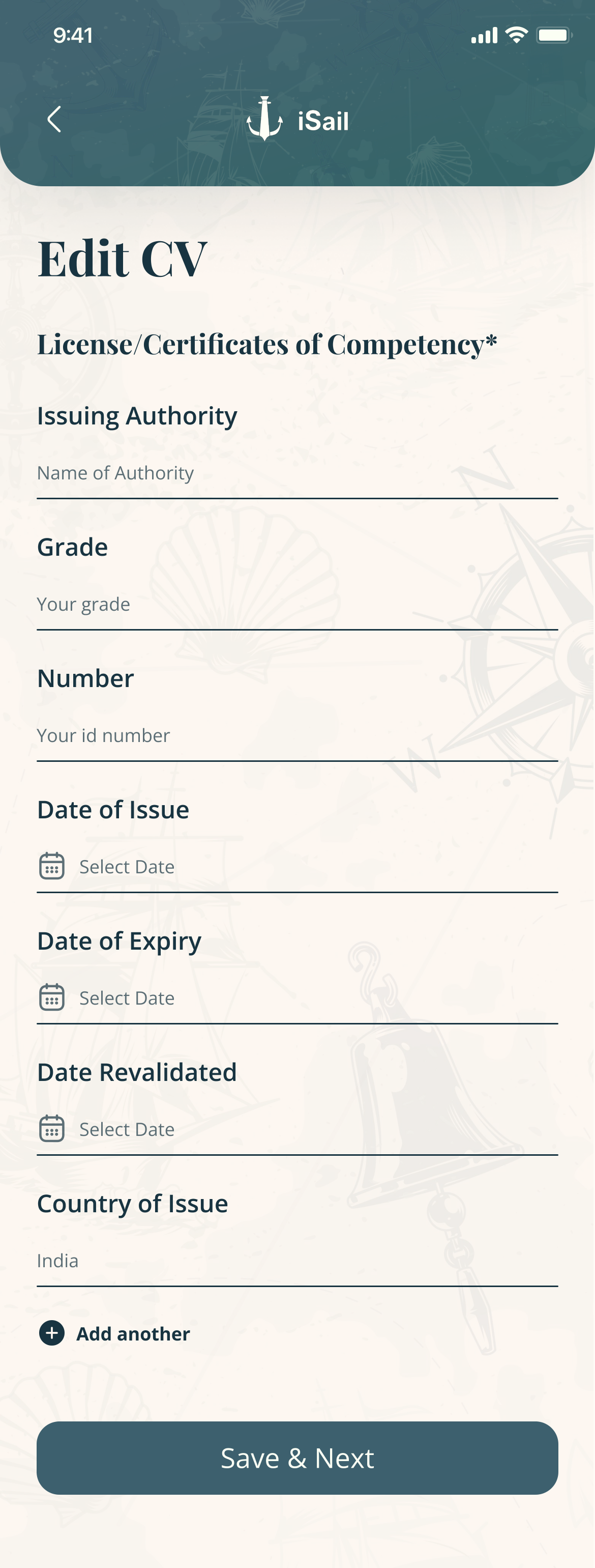
Edit CV, licences and certificates of competency: issuing authority, grade, number, dates of issue, expiry and revalidation, country
Licences and certificates
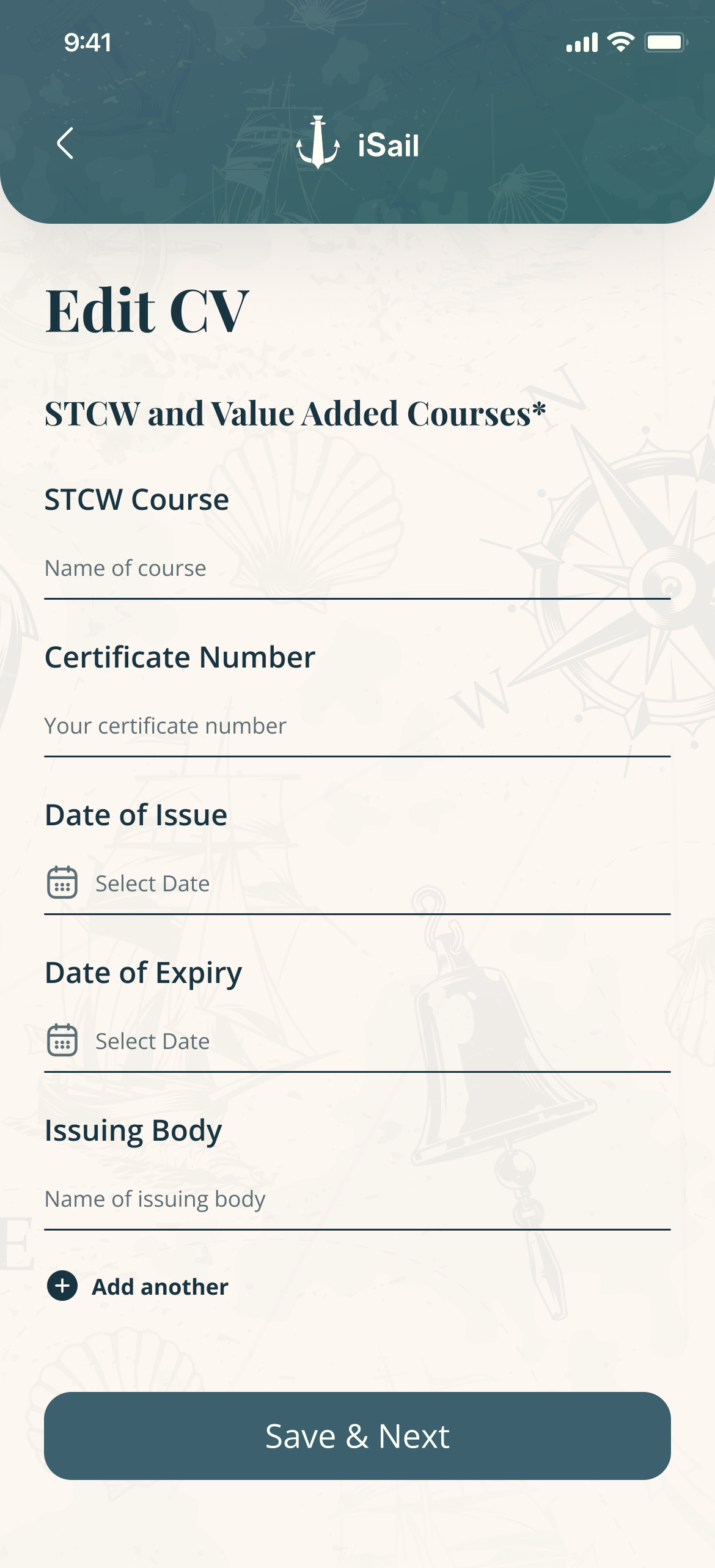
Edit CV, STCW and value-added courses: course, certificate number, dates, issuing body, Add another, and Save & Next
STCW courses — Add another, Save & Next
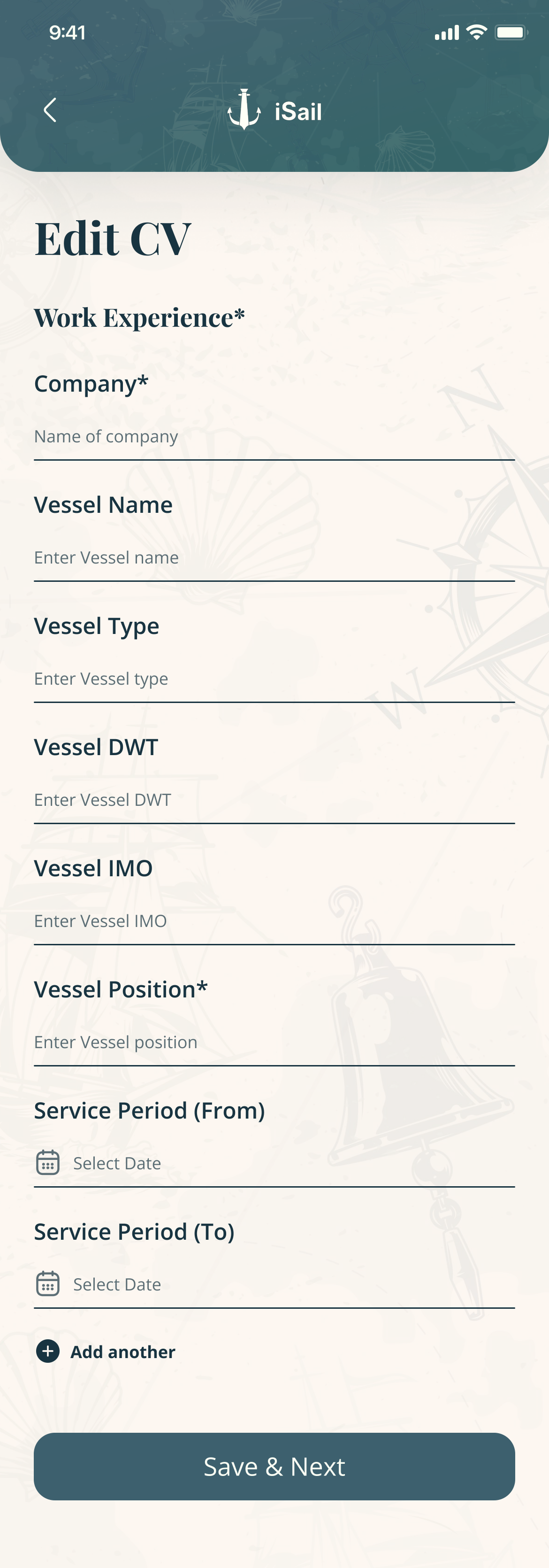
Edit CV, work experience: company, vessel name and type, DWT, IMO, position and service period
Sea service by vessel — DWT, IMO

After applying

07 — Nothing sits in a void


Every application carries a status, and the recruiter sees its own side of it.
Motion — a status arriving: Applied, Viewed, Shortlisted
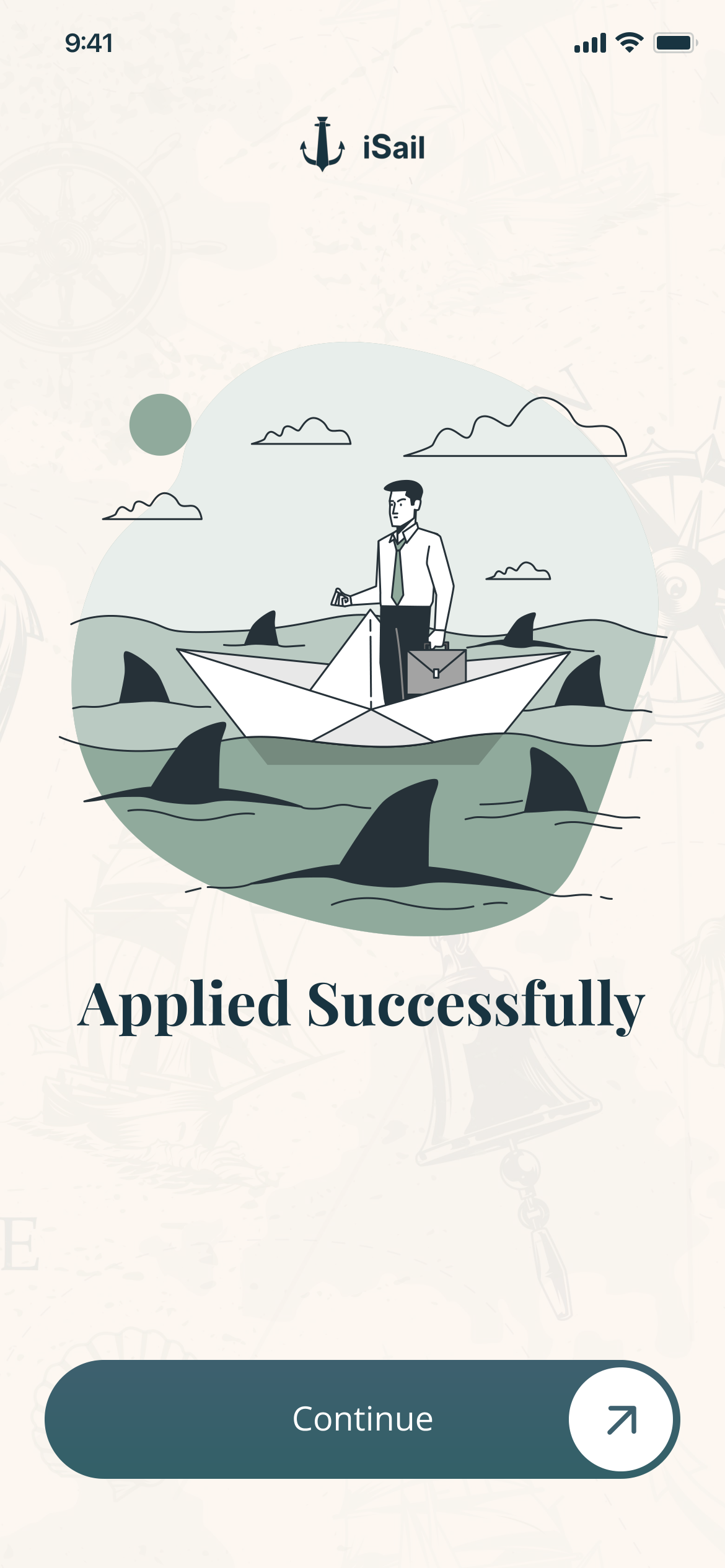
Applied Successfully, with an illustration of a man in a suit on a paper boat among sharks, and Continue
Applied — a paper boat among sharks
Applied Jobs: four Chief Engineer cards marked Shortlisted, Viewed, Applied and Not Selected
Applied Jobs — a status on every card
The job detail after applying: the Apply Now button is greyed and reads Applied
The job remembers — the button retires
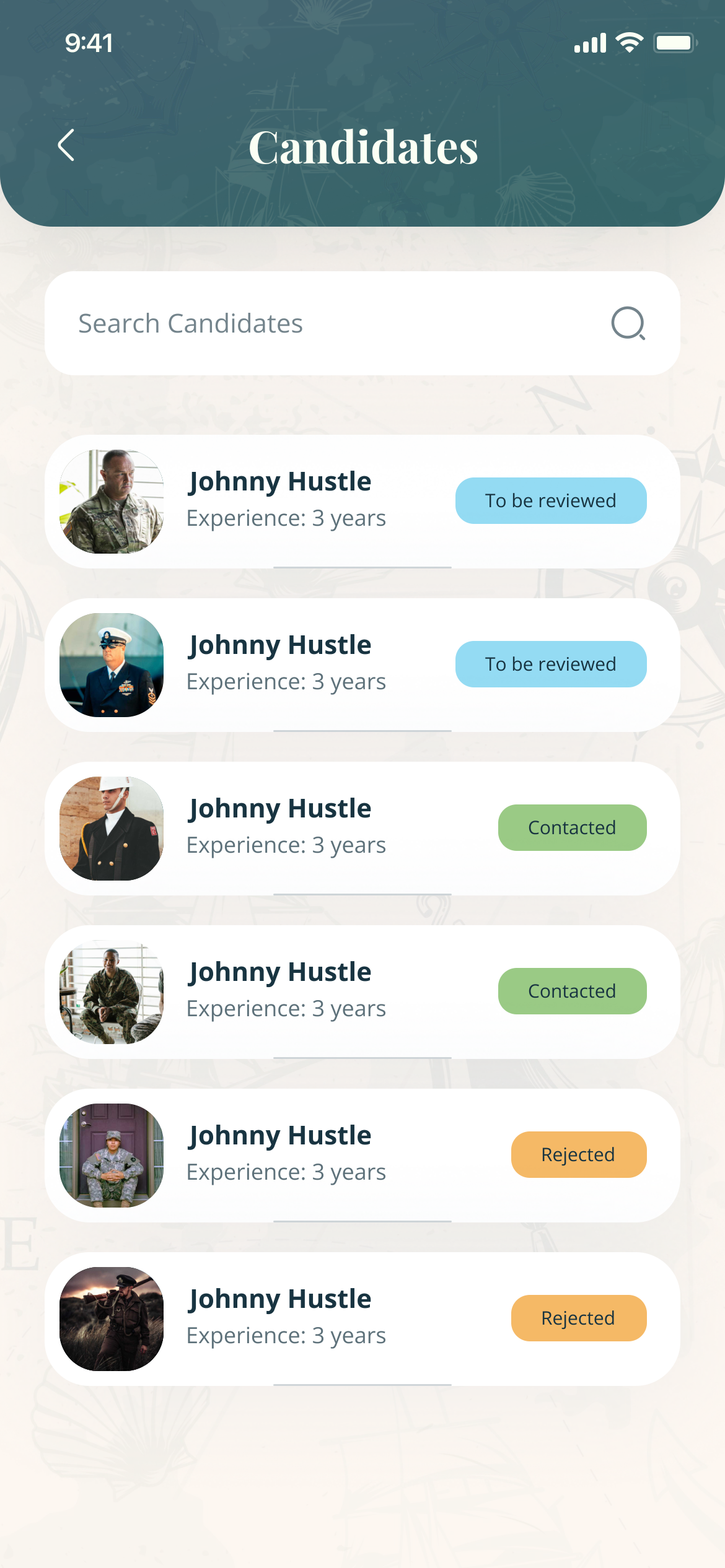
The recruiter's Candidates list: six candidates marked To be reviewed, Contacted or Rejected
The recruiter’s side — reviewed, contacted, rejected

The recruiter

08 — A pipeline in a pocket


Post, review, decide: a hiring pipeline on a phone, not a back office.
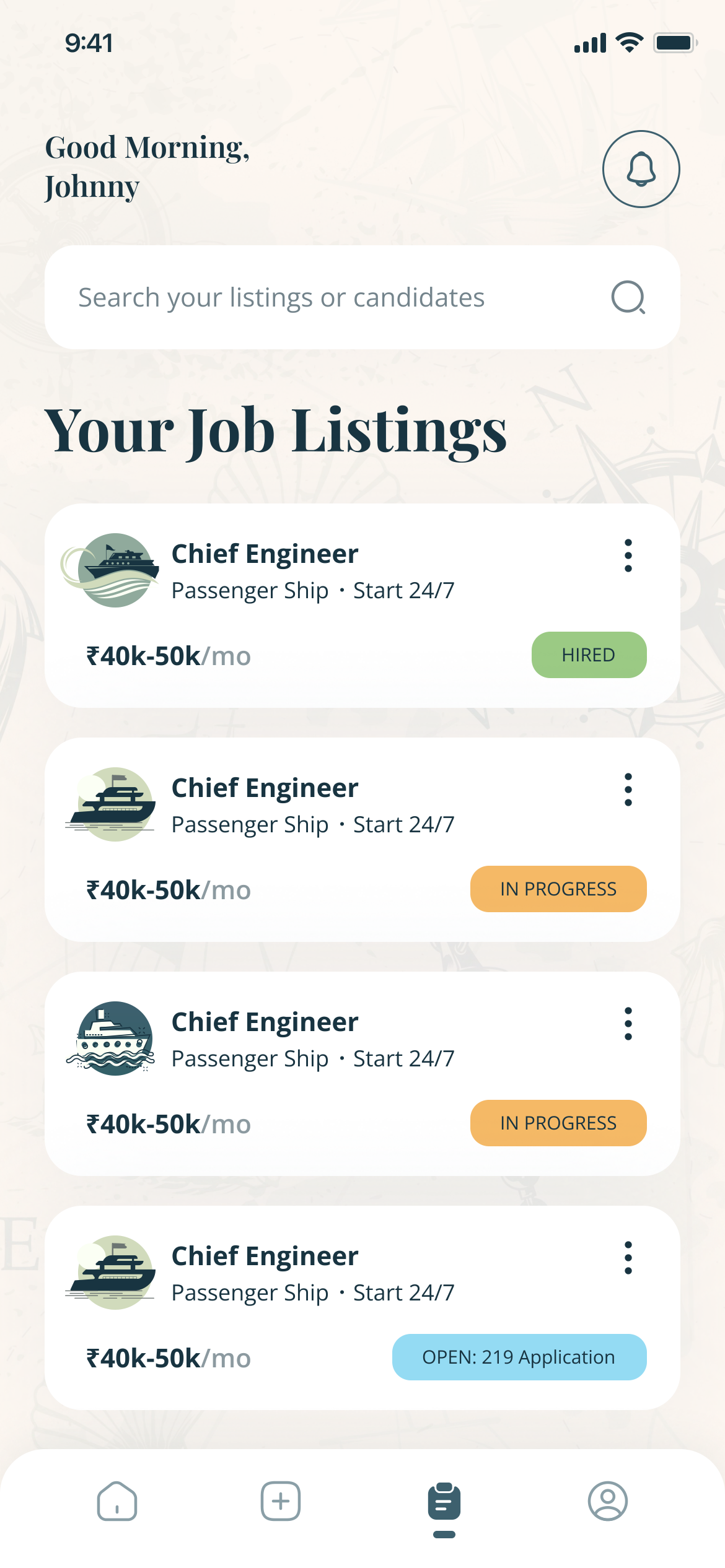
  • Each listing shows its state: Open with its application count, In progress, or Hired.
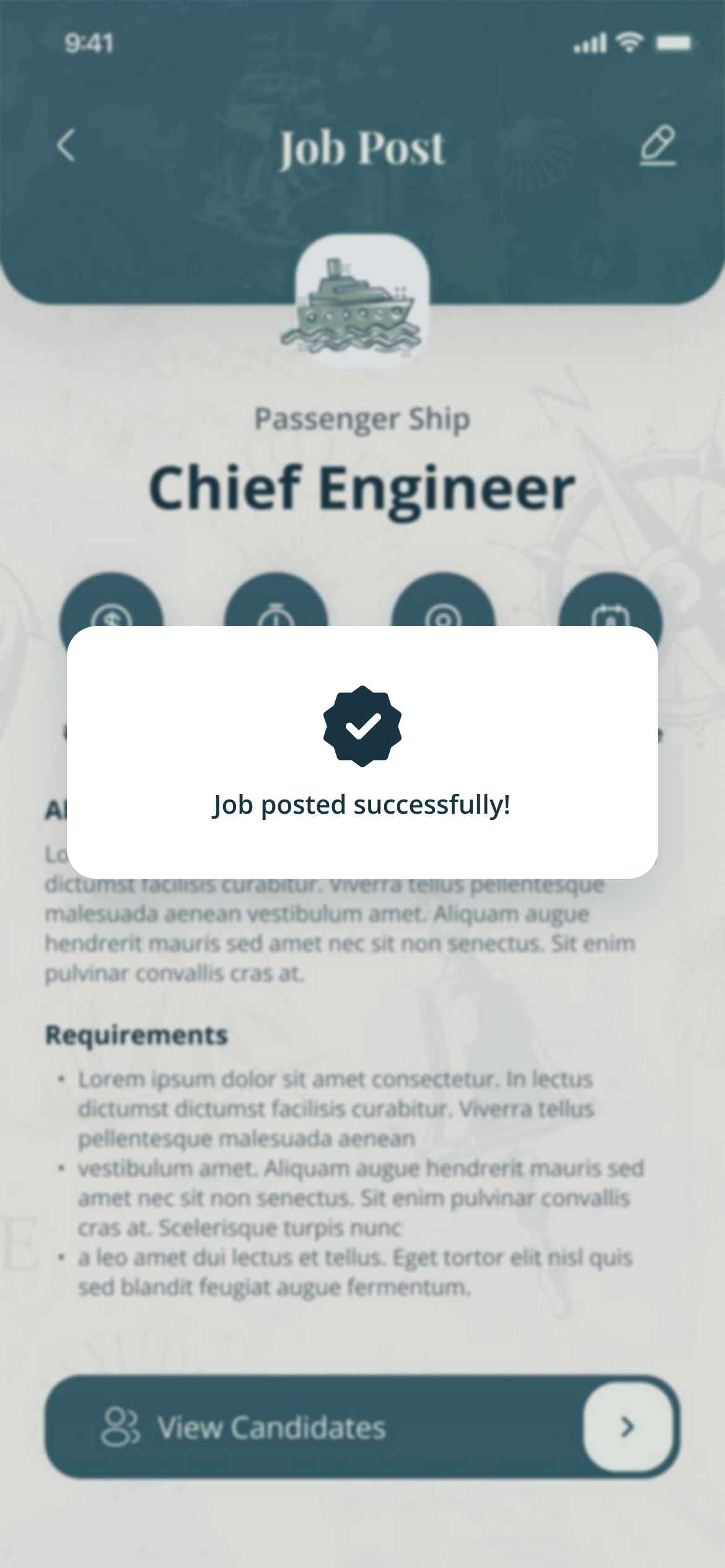
A confirmation over the new listing: Job posted successfully
Posted — confirmed before you go looking
Your Job Listings: four Chief Engineer listings marked Hired, In progress, In progress and Open with 219 applications
Listings — pipeline health at a glance
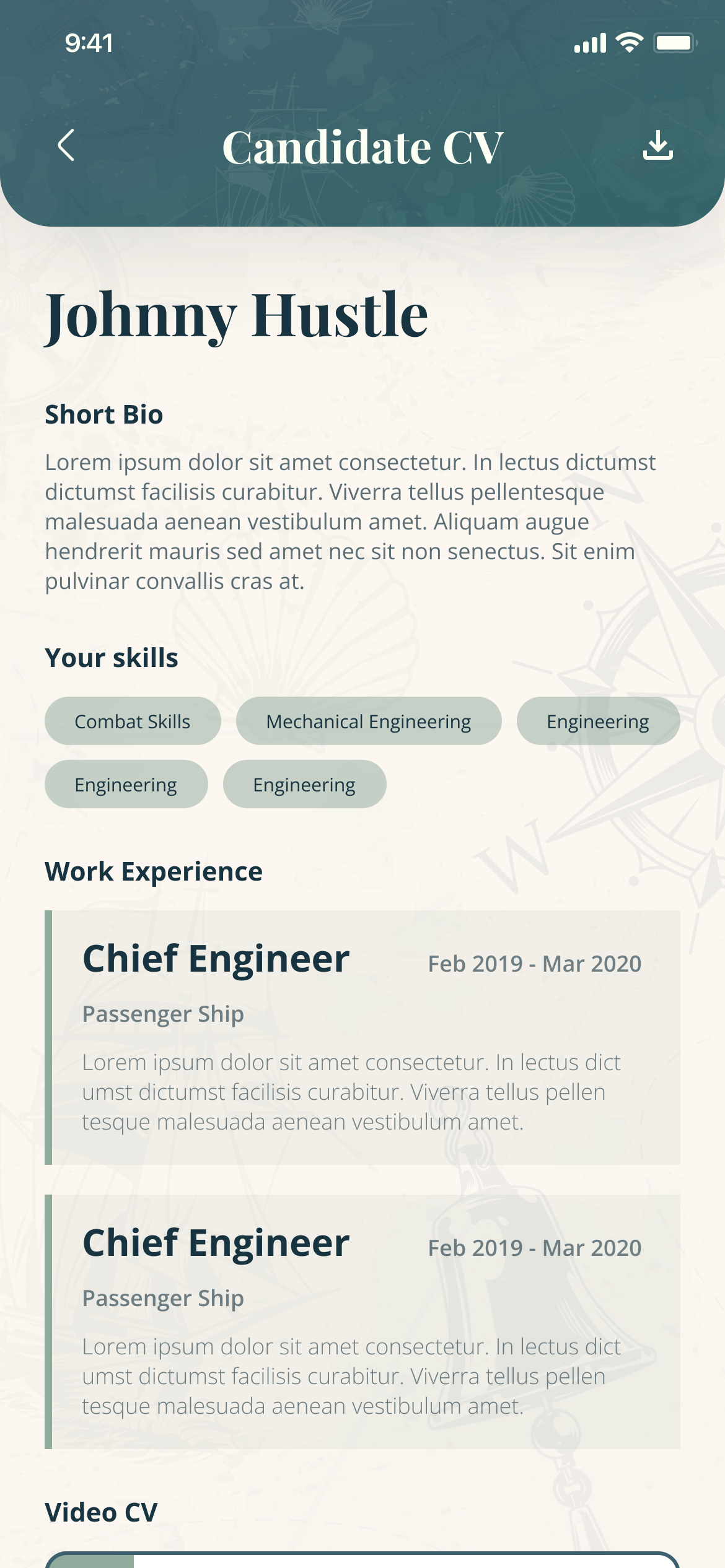
Candidate CV: Johnny Hustle, short bio, skills as chips, and work experience as Chief Engineer on a passenger ship
Candidate CV
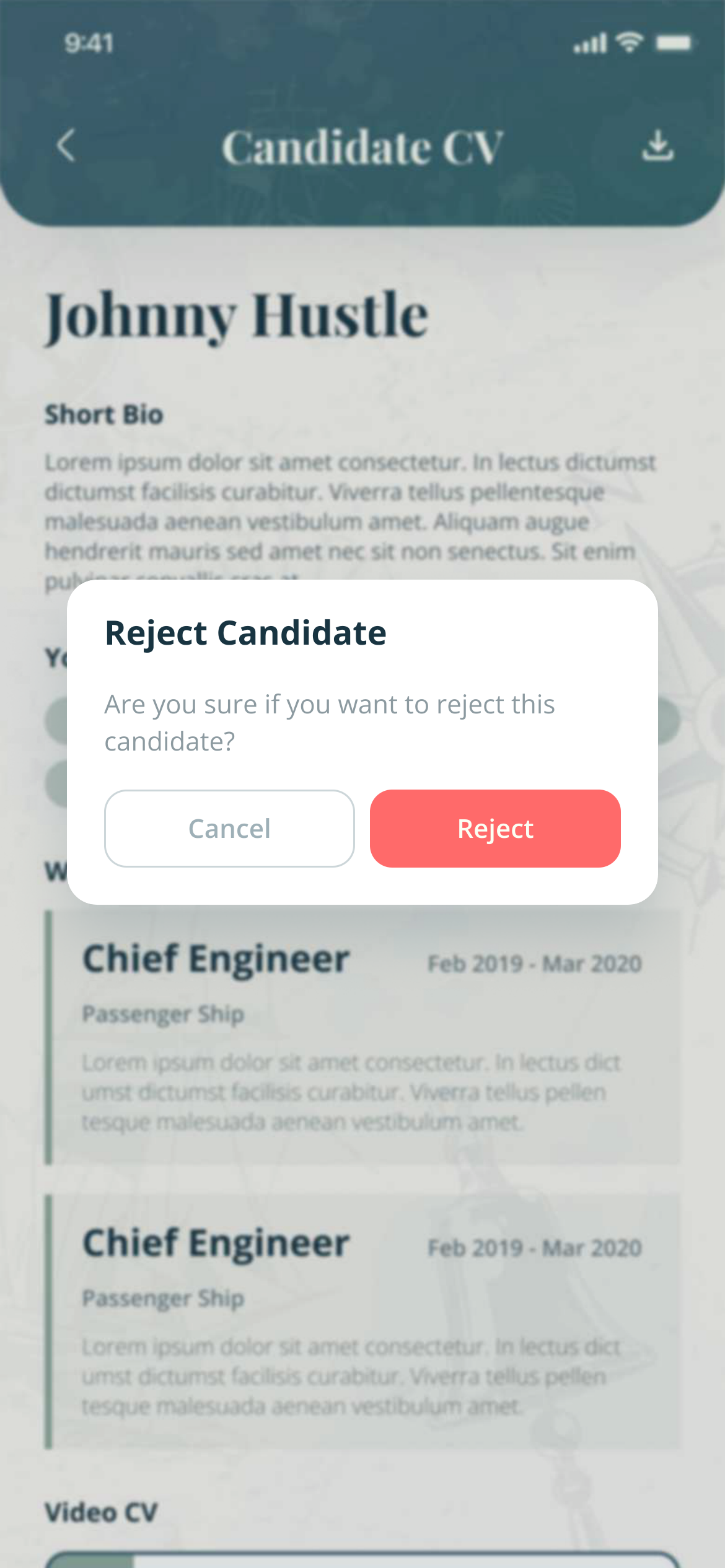
A candidate CV with a dialog: Reject Candidate? with Cancel and Reject
Reject — asks before it reaches a person
Motion — connect, and the request is confirmed

Plans and advertising

09 — Paid reach


Both sides subscribe; recruiters can buy reach, and see what it bought.
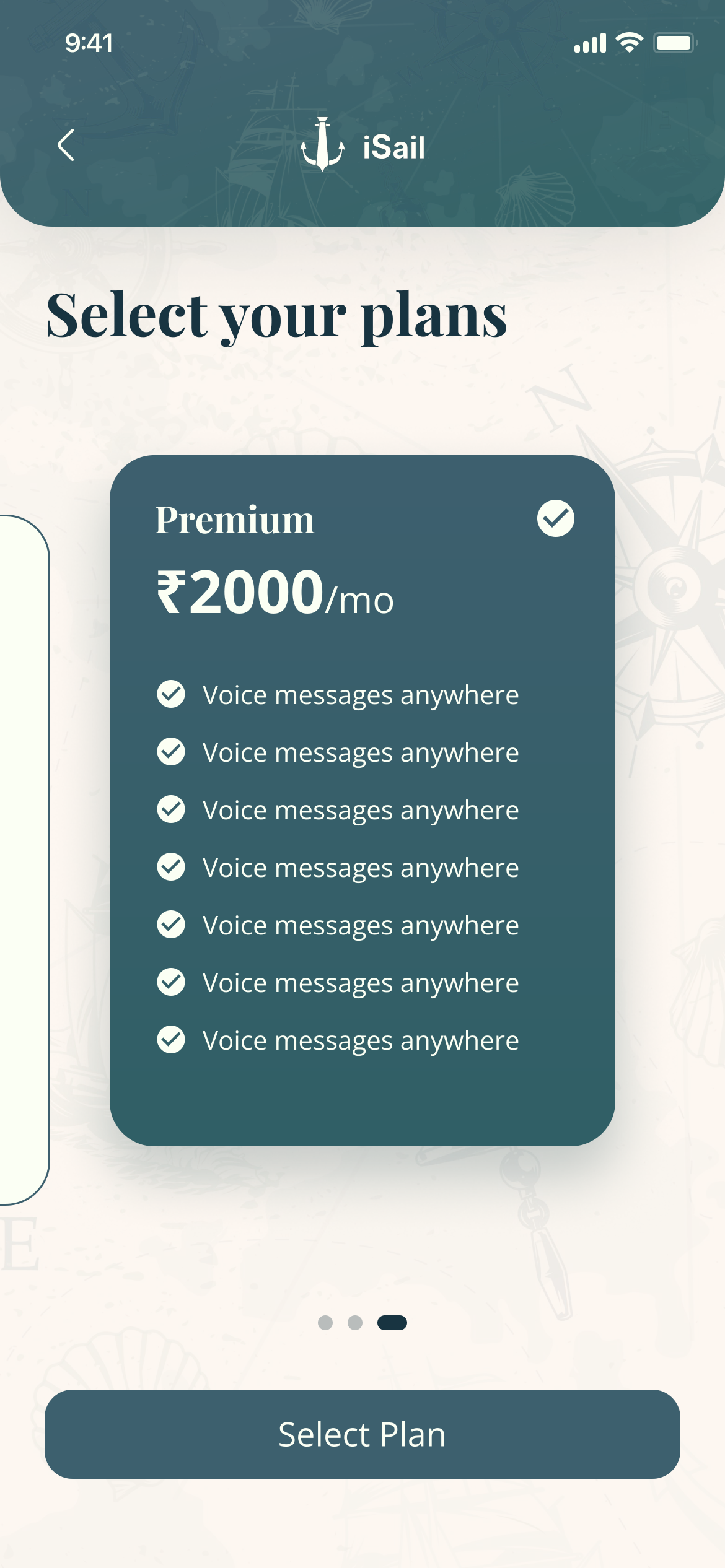
Select your plans: a Premium plan at ₹2000 a month, with a list of features, and Select Plan
Select a plan
Advertising Plans: your plan, display frequency, statistics, and the ads running
Advertising plans
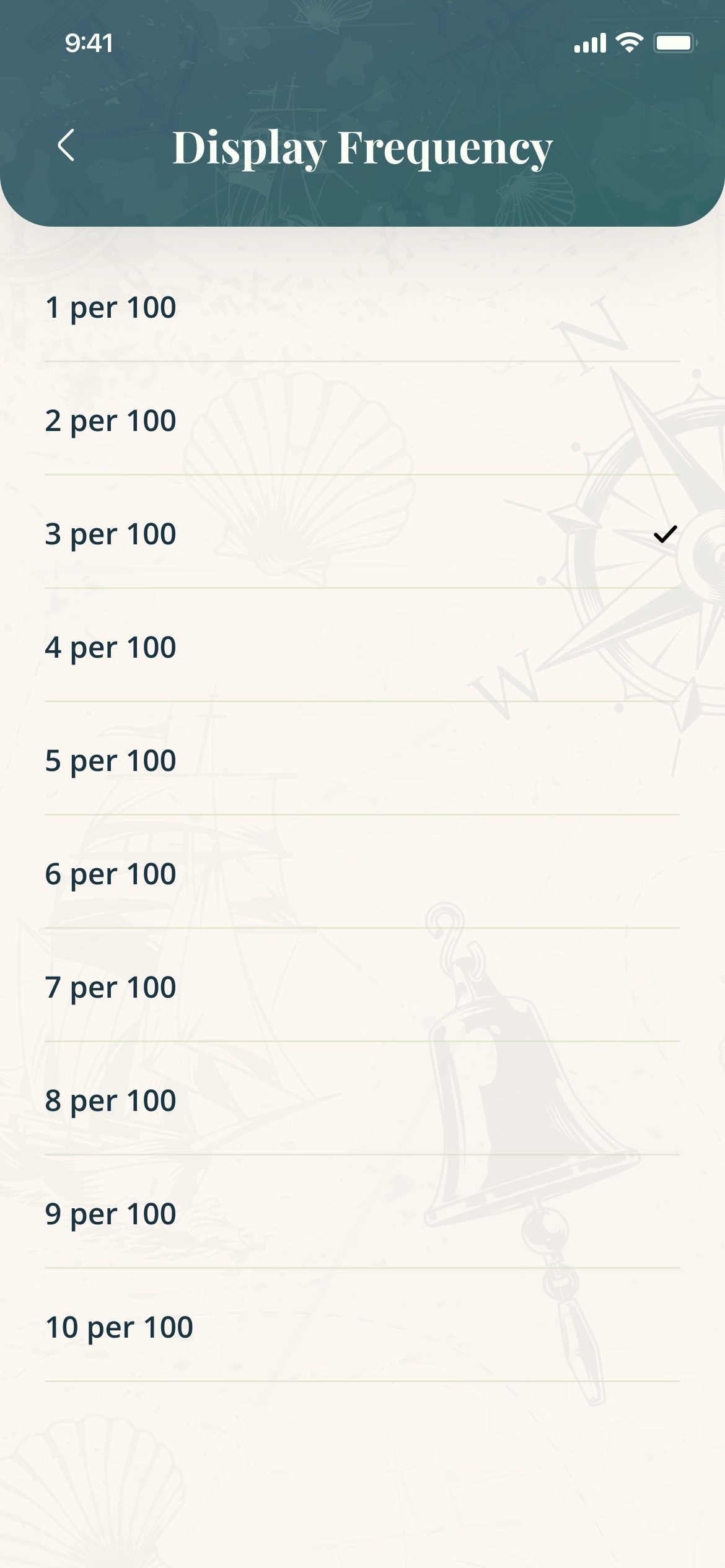
Display Frequency: a list from 1 per 100 to 10 per 100
How often an ad is shown
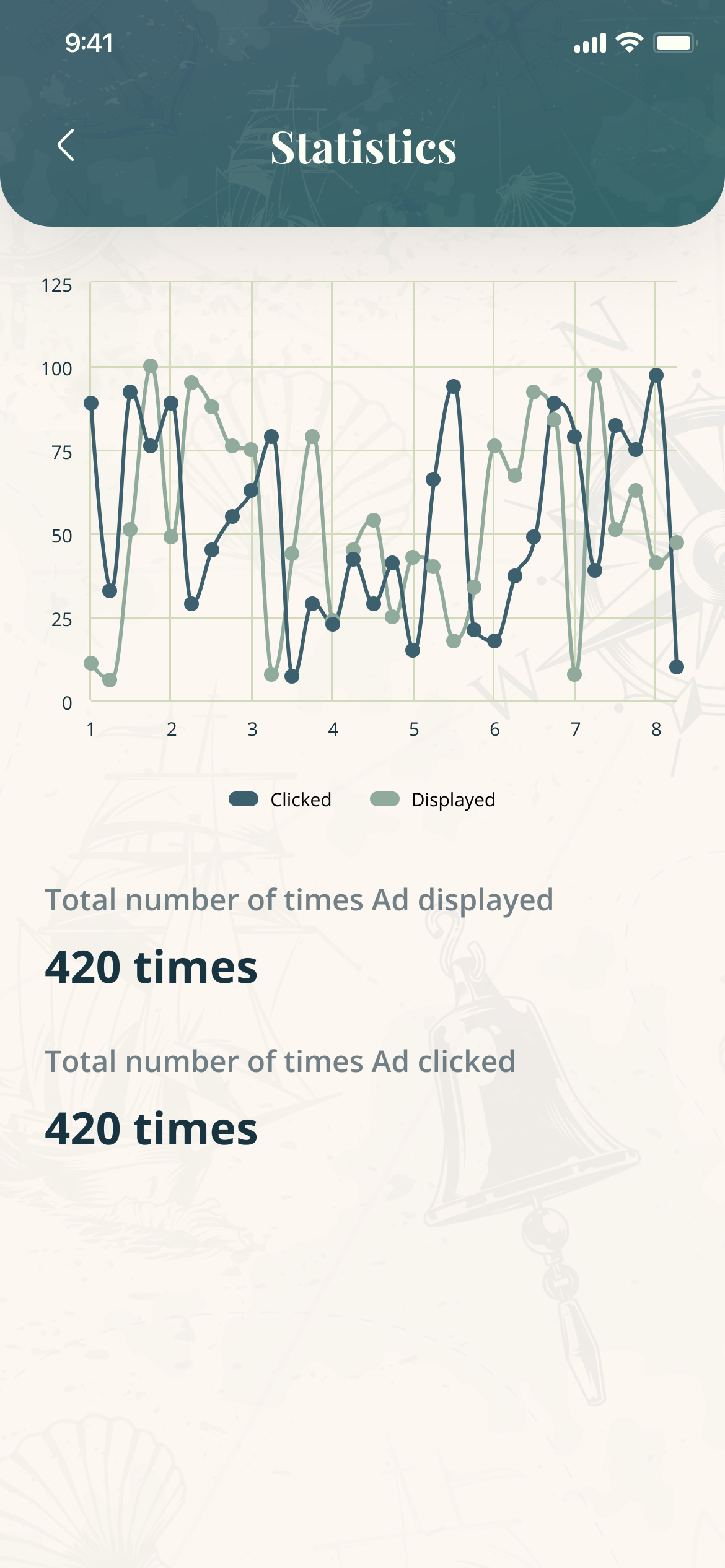
Statistics: a line chart of displays and clicks, and the totals, 420 times displayed and 420 times clicked
Statistics — displayed and clicked

Edge states

10 — The screens nobody screenshots


Every error names what failed, at the field; every big decision asks first.
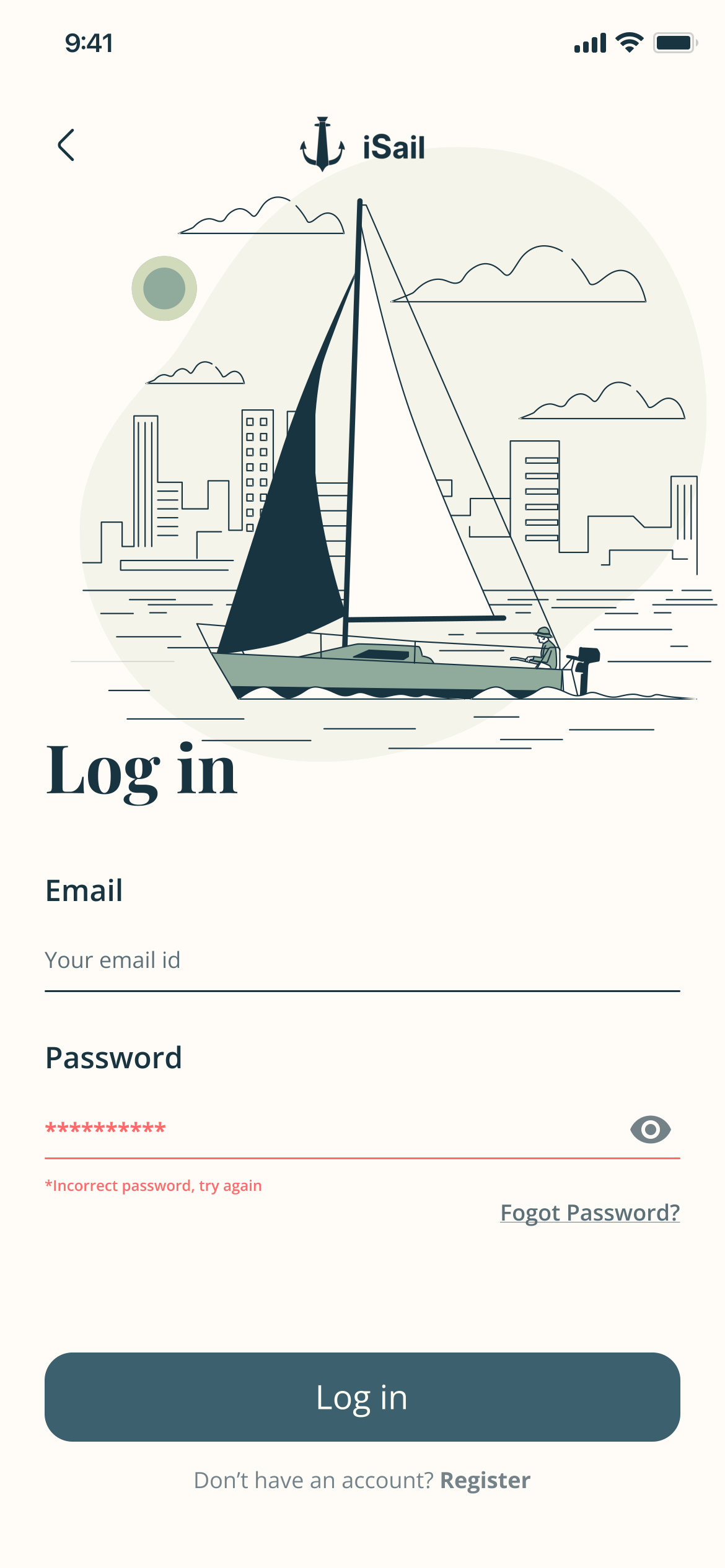
Log in with an error under the password: Incorrect password, try again
Wrong password — names the password, not the account
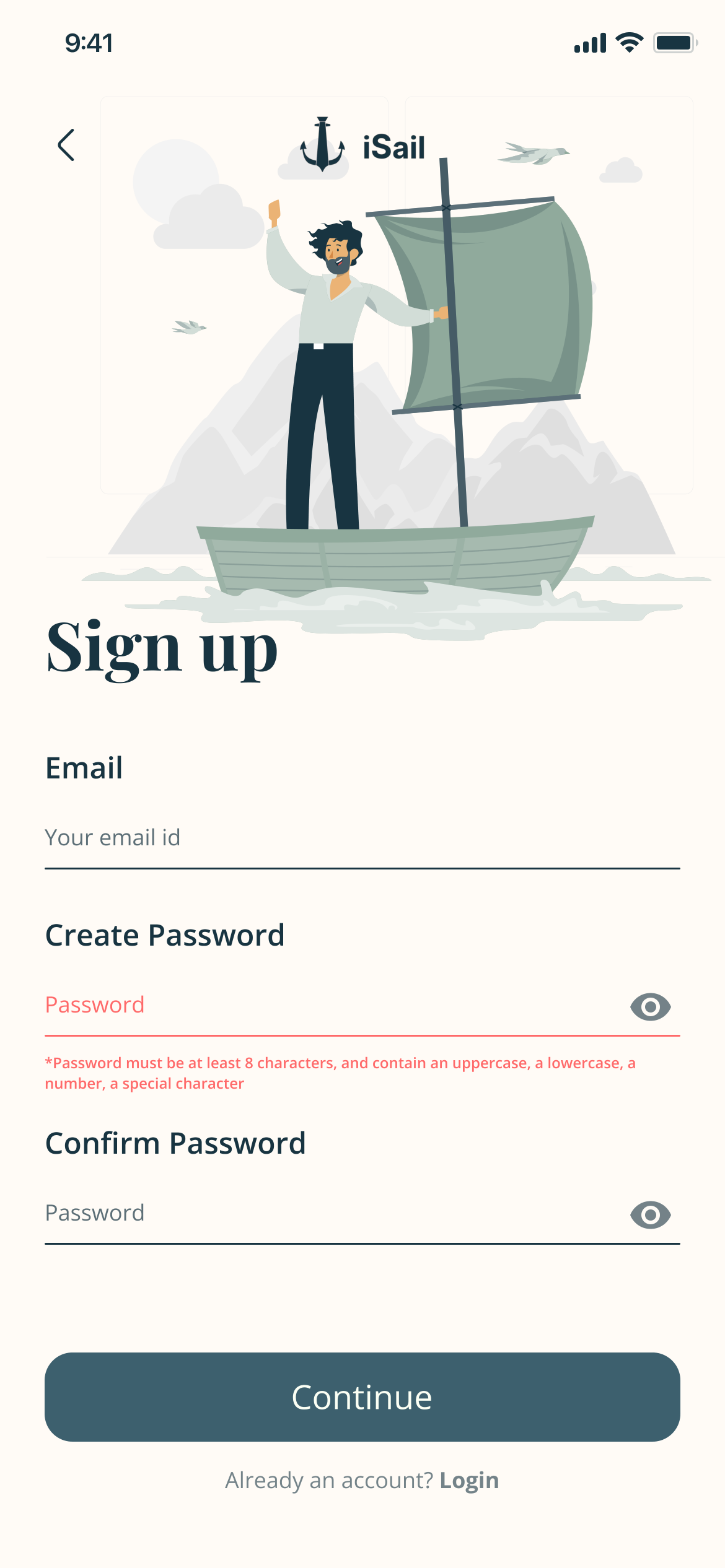
Sign up with the password rules in red: at least 8 characters, with an uppercase, a lowercase, a number and a special character
Password rules — in plain words, at the field
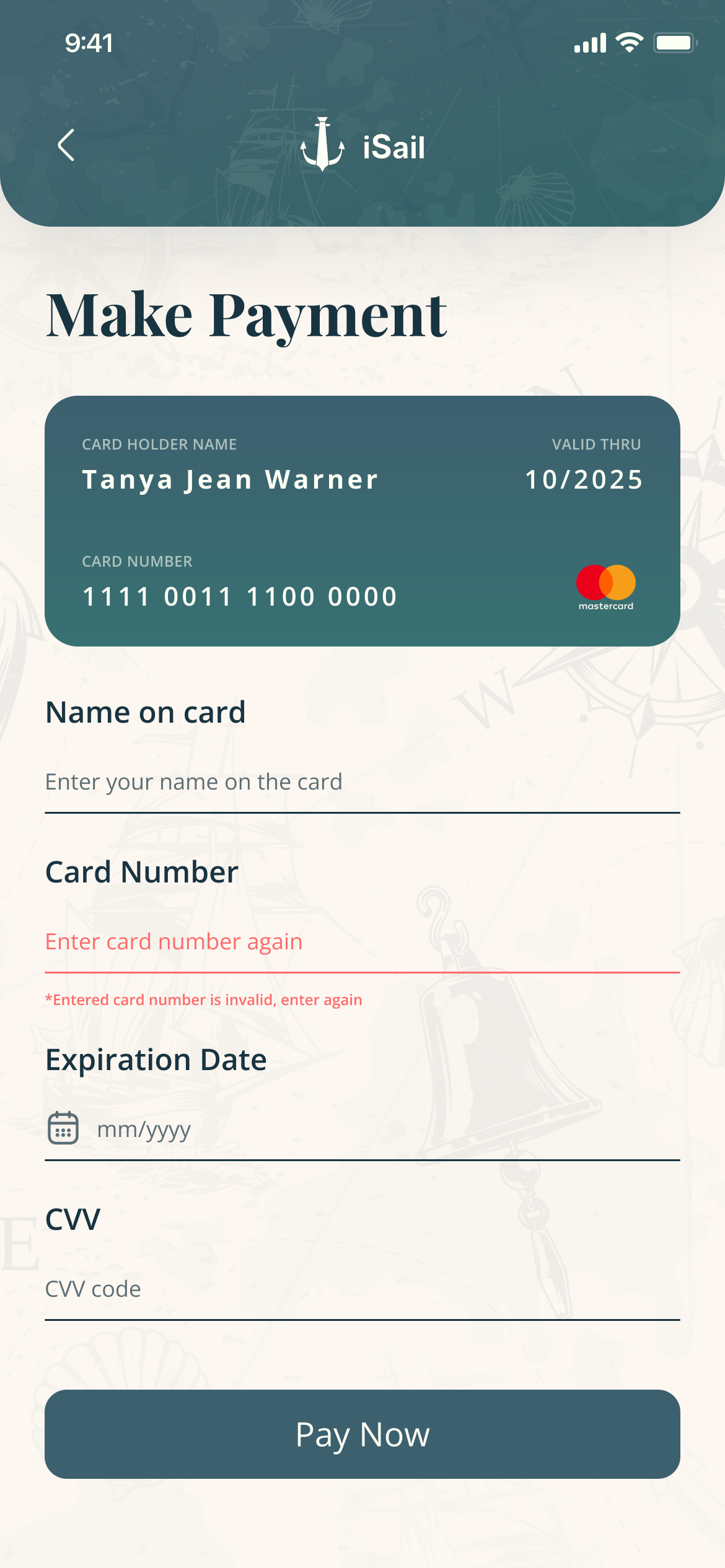
Make Payment with the card number in red: Entered card number is invalid, enter again
Card number — fails on the field, not after paying
Job Apply with an error under Video CV: the video should be in the right format and within the size range
Video CV — format and size, the two reasons
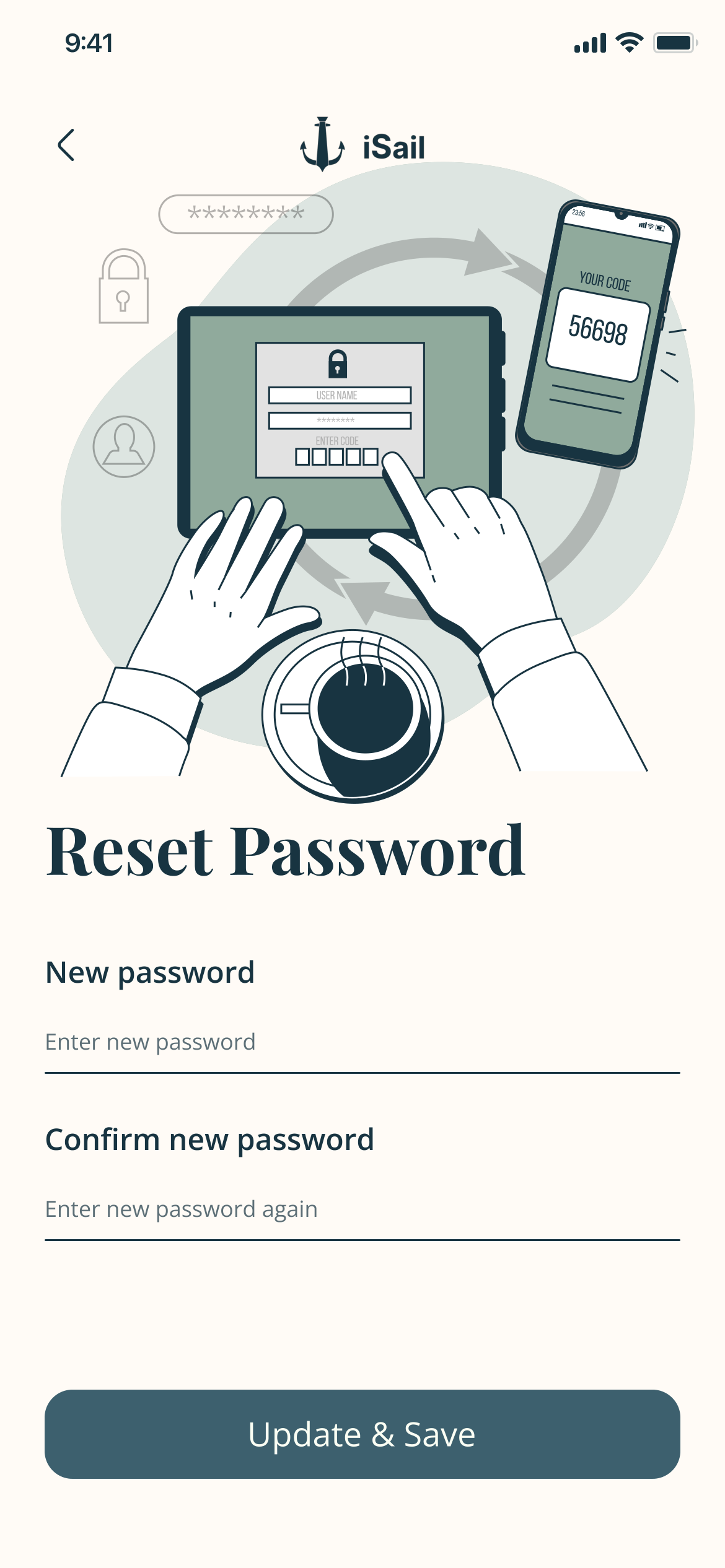
Reset Password: new password and confirm new password together, and Update & Save
Reset — new and confirm together
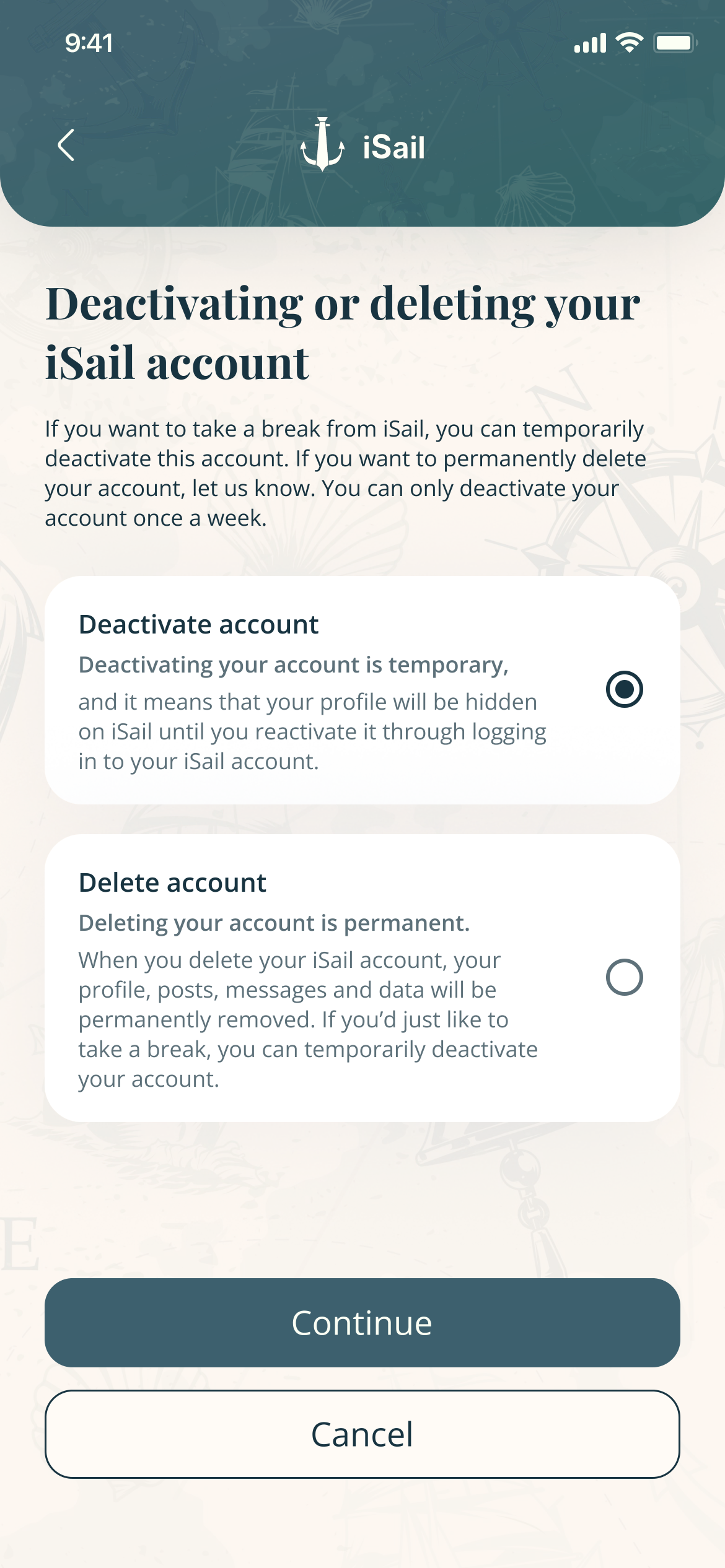
Deactivating or deleting your iSail account: Deactivate account is selected and explained as temporary; Delete account is explained as permanent
Leaving — deactivate is preselected
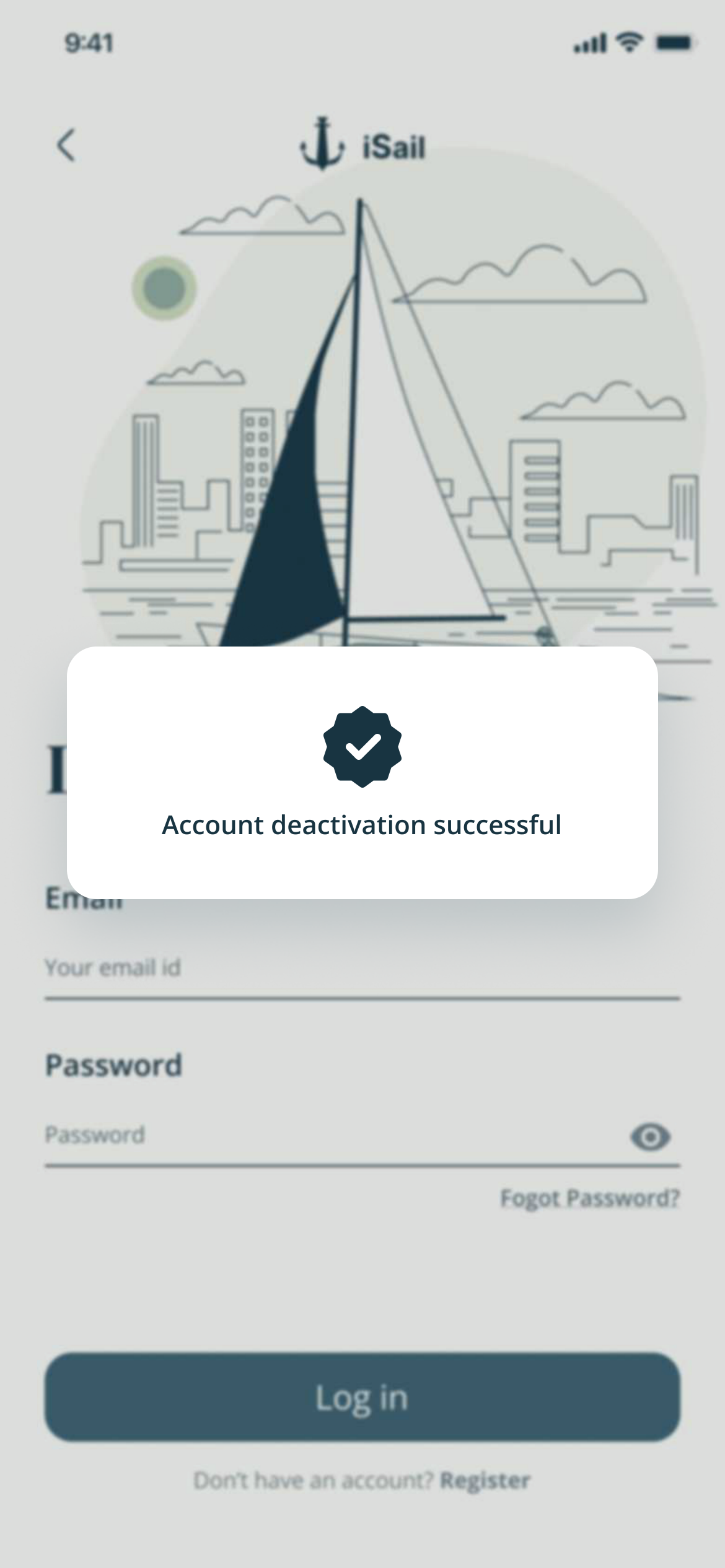
Log in with a confirmation: Account deactivation successful
Deactivated — the temporary choice, confirmed
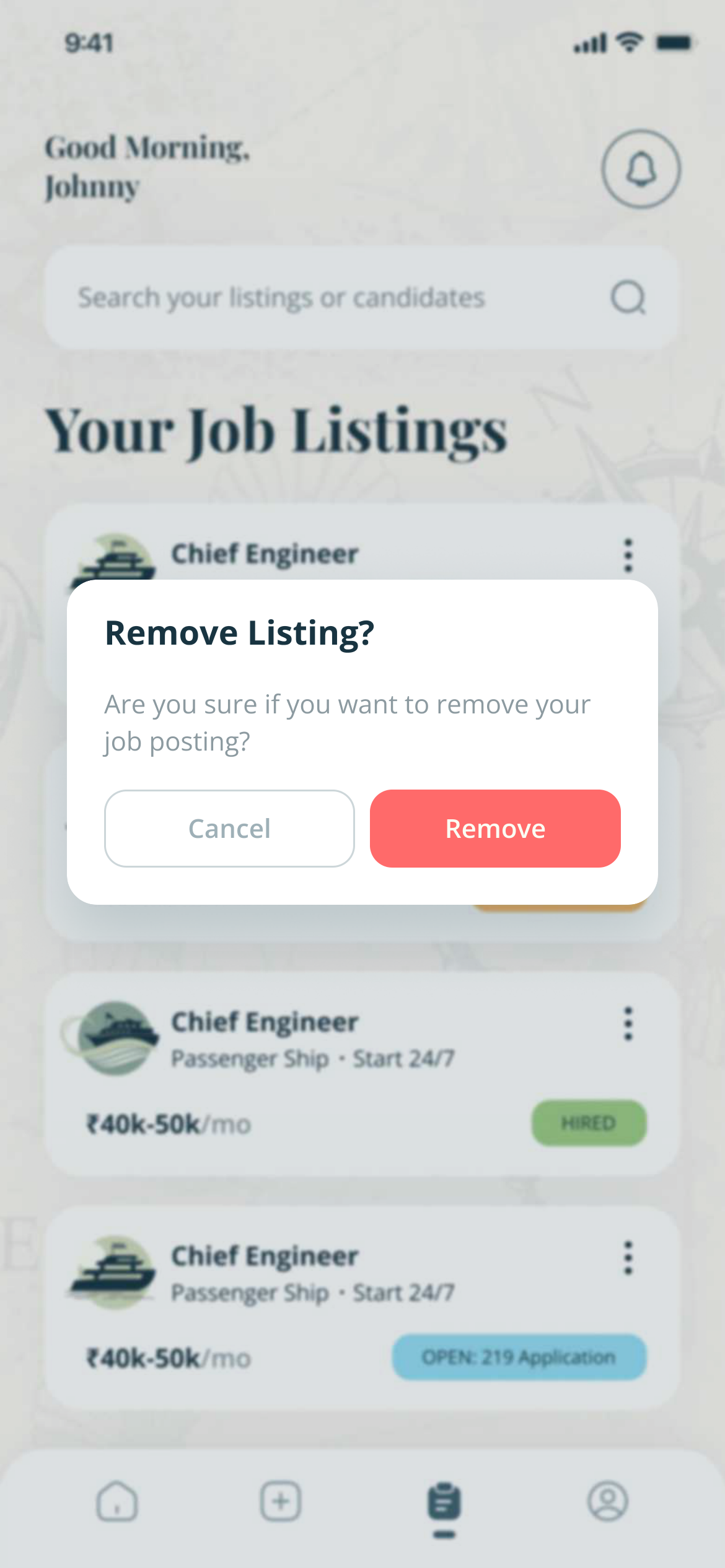
Your Job Listings with a dialog: Remove Listing? Are you sure you want to remove your job posting?
Remove a listing — asks first

The system

11 — Colour and status


A chart-room palette: one deep teal for anything you can act on, and soft status colours.

Colour

  • Harbour #3E606F · actions, headers
  • Deep Ink #193441 · text
  • Sea Sage #91AA9D · illustration
  • Kelp #D1DBBD · tint
  • Slate #6C7674 · secondary text
  • White #FFFFFF · cards

Status — seafarer · recruiter

  • #9BCB85 · Shortlisted · Contacted, Hired
  • #94DCF3 · Viewed · To be reviewed, Open
  • #F5B967 · Applied · Rejected, In progress
  • #FF6A6A · Not Selected
Labels in Deep Ink: 4.7:1 to 8.6:1 on every chip
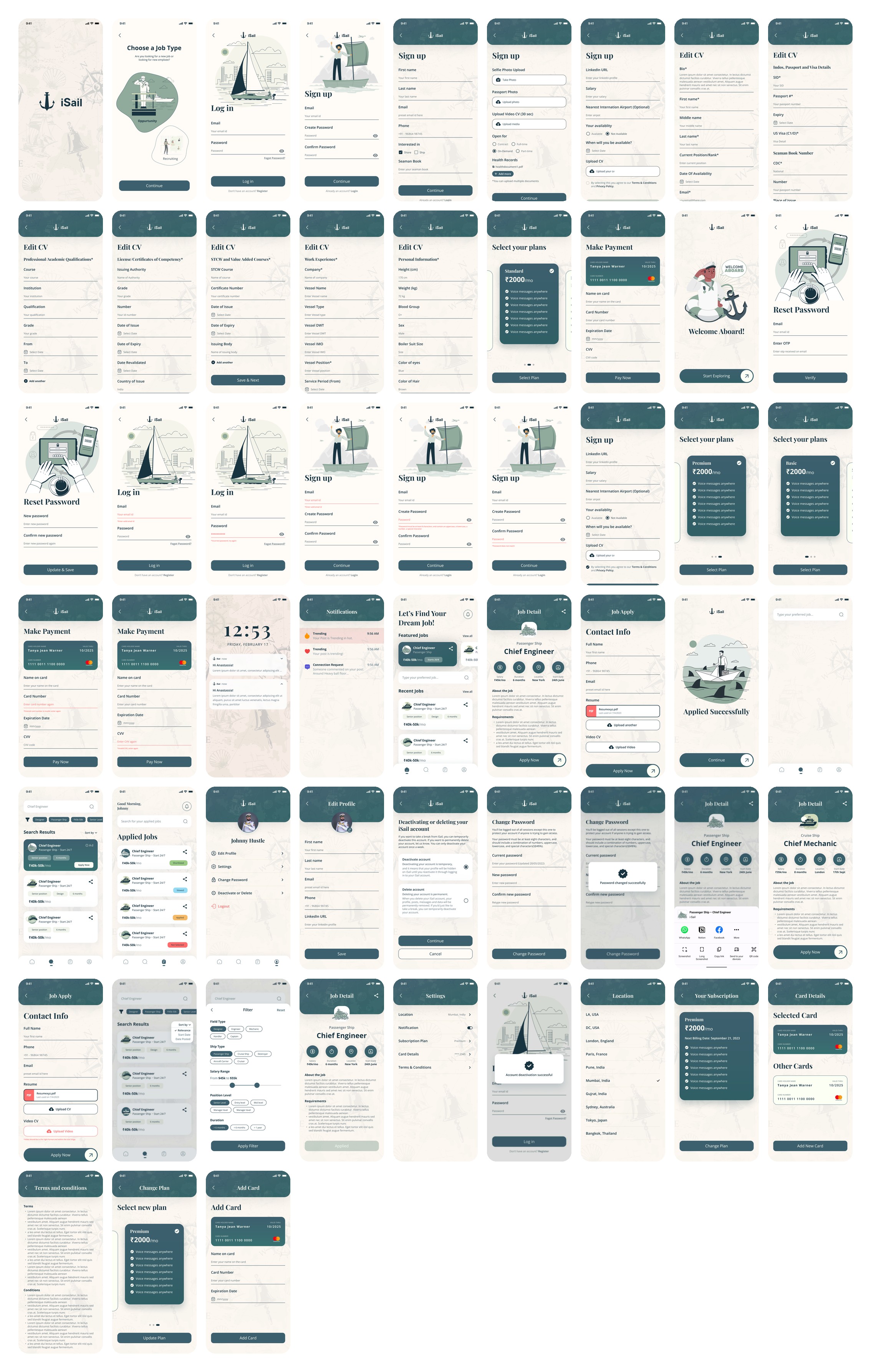
All 57 seafarer screens on one board, from the splash screen to adding a card
The file — 57 seafarer screens
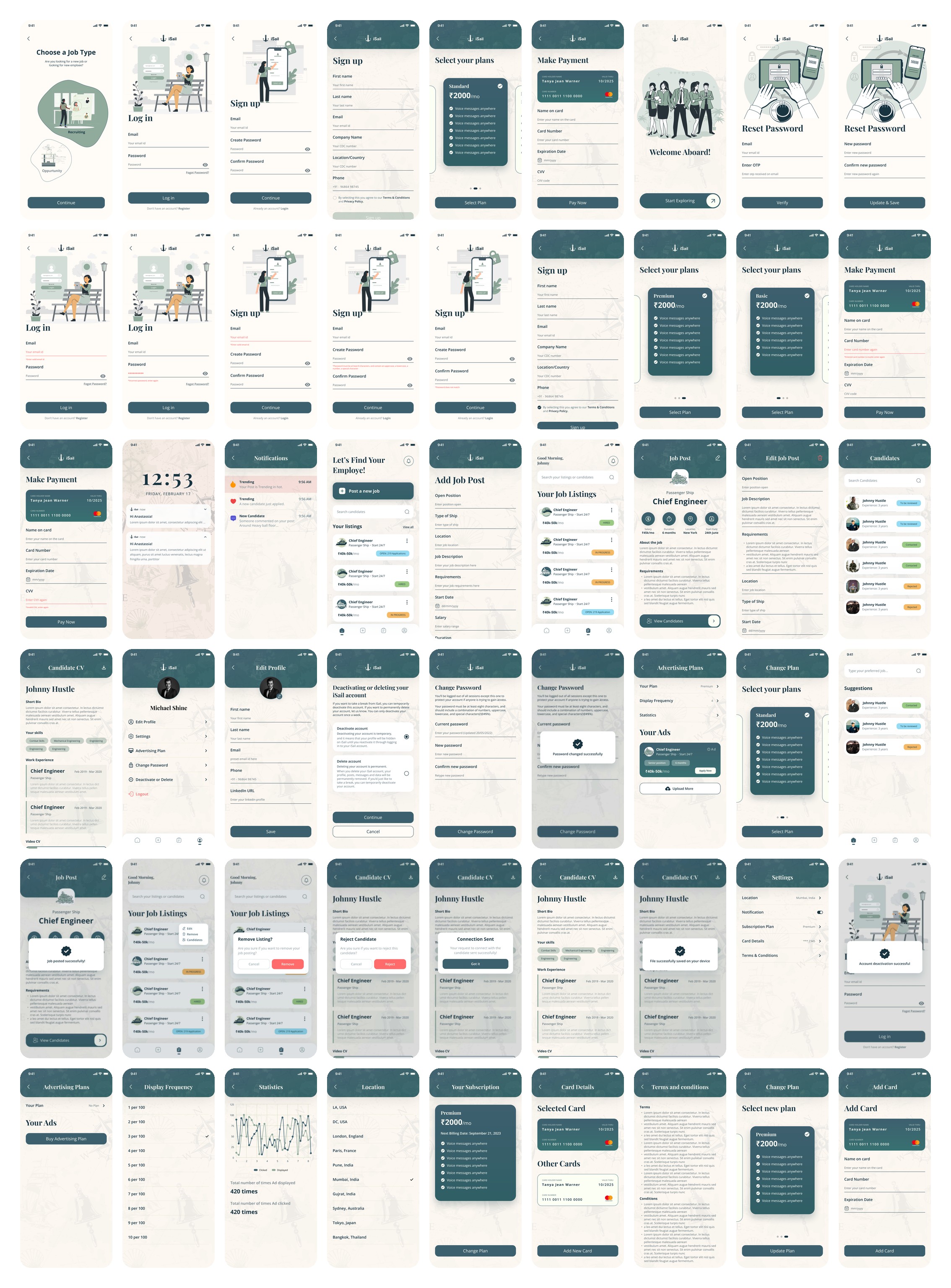
All 54 recruiter screens on one board, from choosing a job type to adding a card
The file — 54 recruiter screens

Trade-offs

12 — Four calls


Four calls, and what each one cost.

01

One app with a fork, not two apps

GainedOne sign-in, one payment flow, one kit for 111 screens.

CostThe first screen asks a question before showing any value.

02

Apply in one screen

GainedThe most repeated action takes seconds.

CostA thin profile can still apply; screening moves to the recruiter.

03

“Not Selected”, not “Rejected”

GainedA gentler word for the person receiving it.

CostTwo vocabularies for one decision, to keep in sync.

04

Deactivate before delete

GainedA seafarer away for months can come back to their profile.

CostOne more screen before a permanent delete.

What I’d do differently

13 — The second pass


What the second pass would fix.

One state modelDefine the application states once and map both sides’ words onto them: the recruiter’s Rejected is amber while the seafarer’s Not Selected is red.

Inherited fieldsQuestion every field from the old crew forms. Eye and hair colour don’t belong in a hiring profile.

A copy pass“Oppurtunity”, “emploee”, “Fogot Password?” and “Internation Airport” all reached the final screens.

Real plan copyEvery plan lists “Voice messages anywhere” as placeholder. Plans sell on their differences, so write them first.